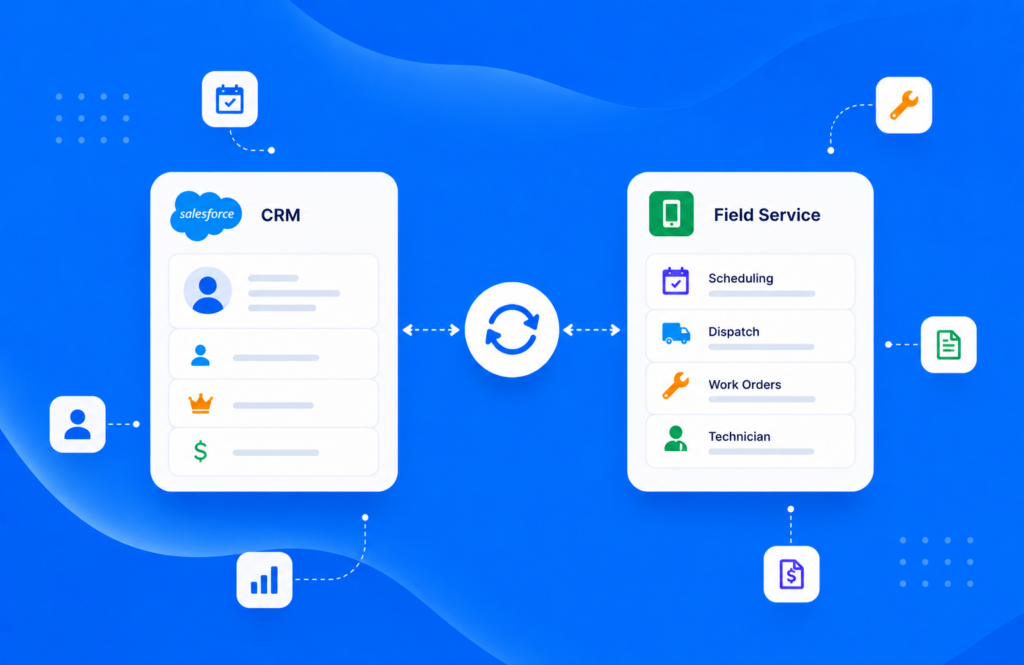
In 2026, the average cost of field service management software in the U.S. ranges between $50 and $100 USD per user per month. Of course, this amount can vary depending on different factors, such as the number of technicians on your team, the features you need, or the level of integration required.
- Small companies with 1–15 technicians can expect monthly costs ranging from $60 to $5,250 USD total.
- Medium-sized companies with 15–40 techs typically pay between $5,250 and $12,000 USD per month total.
- Large organizations that employ more than 40 technicians often pay over $12,000 USD monthly total.
What Are The Factors Influencing Field Service Management Software Cost?
Available Functionalities
The available capabilities and functionalities in your field service management software play a big role in the cost. Advanced features like GPS tracking, invoicing, mobile accessibility, project management boards, reporting, and enhancing customer experience can significantly impact the expense. Also, when shopping for your field service management software, look for communication enhancements, mobile tools, and digital forms that let technicians capture job history and equipment data in the field.
For example, FSM softwares that automate workflows and provide detailed reports on field worker performances might mean a higher upfront cost, but they can save you a lot of money down the road. It’s all about finding the right platform that fits your budget and goals.
Number of Users and Technicians
The number of users and technicians that need access to the field service management software will directly impact the cost. Field service management software typically charges based on how many employees use it. The bigger the team, the higher the expense.
Here are tips to help reduce field service management costs within your organization:
Effectively managing roles, permissions, and users can help keep these costs under control. Making sure that only the right people have access to specific features doesn’t just streamline team management but also keeps field service management software expenses in check. Plus, smart management of parts inventory and order workflows can make a big difference in controlling costs and ensuring that resources and equipment are used wisely.
At Scoop, we believe in allowing businesses to scale without impacting their finances. This is why we offer unlimited seats, forever. This means you can have as many office workers, technicians, and subcontractors as you want, and you’ll still pay the same price.
Per-Location Pricing Models
Some field service management softwares use site-based pricing models, meaning the pricing increases with the number of sites your company manages. If your company operates across multiple locations, it could lead to higher costs. Managing routes, keeping track of processes at different sites, and ensuring the software scales effectively can all contribute to the total expense.
It’s important to consider whether the benefits of tracking each site separately are worth the added expense and if this kind of site model is a good fit for your operations, especially for industries built around multi-site field operations.
Customization and Integration Needs
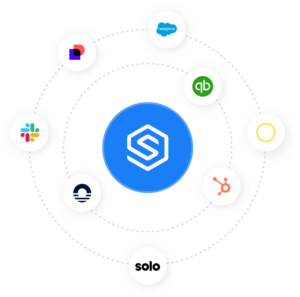 Customization and integration needs can add to the cost too. Top field service management softwares offer seamless integration with tools like QuickBooks, CRM systems, and project management software. This allows data to flow smoothly between platforms, saving you significant time and reducing manual entry errors.
While customization and integration might add to the initial expense, they also make the field service management software far more effective and adaptable to your unique needs—ensuring your tech stack can scale and evolve as your business does. Take time to learn integration capabilities during any trial so you can optimize the implementation for your specific workflows.
What Are The Different Field Service Management Pricing Models?
Pricing models for field service management software generally include options like per user, per month, or tiered plans. Each model has its pros and cons depending on your needs.
1. Per User, Per Month
- How it works: You pay a set monthly fee for each individual user (e.g., technician, admin, dispatcher) who needs access.
- Pros:
- Scales predictably as your team grows.
- Easy to budget since the cost is tied directly to the number of users.
- Cons:
- Can become expensive for larger teams.
- You may pay for users who only log in occasionally.
2. Flat Monthly Subscription (Per Organization or Site)
- How it works: You pay a fixed monthly fee that covers all users and features for your company or a specific location.
- Pros:
- Cost-effective for larger teams since the cost doesn’t rise with more users.
- Simple billing without worrying about per-user charges.
- Cons:
- Smaller companies may pay more than they actually needs
- Limited flexibility if you only require a few accounts.
3. Tiered Plans (Feature-Based)
- How it works: Pricing depends on which package you choose (basic, standard, premium, enterprise). Each tier includes a set of features, integrations, or usage limits.
- Pros:
- Flexibility to match features with your business stage.
- Ability to upgrade as you need advanced tools (e.g., AI scheduling, analytics, API integrations).
- Cons:
- Costs increase quickly when moving up tiers.
- Important features may be locked behind higher-priced plans.
Tips for choosing the best field service management software pricing model
Focus on jobs completed or work outcomes instead of user count — that often gives you a more predictable, outcome-driven cost model. Also compare payment options to find one that fits your budget. Customization and setup can be costly, especially if your processes need a lot of tweaking. Start small and add features over time to keep installation and upfront costs under control.
Many field-service management platforms offer scalable support that grows with you, which helps spread costs while meeting new needs. Keeping these expenses in check is key to getting the best return on your investment without unnecessary strain.
Want Exact Pricing for Your Business?
Most field service software pricing varies based on users, modules, and add-ons. Scoop offers unlimited users with pricing tailored to your operational needs.
How to Choose the Right Field Service Management Software?
Focus On Scalability and the Ability of the Software to Grow with Your Needs
As your team expands, and you add more technicians, your field service management software should be able to grow right alongside you. Adding new users without causing disruptions is an important feature to look for when choosing your software. A good solution will adapt to your expanding needs as your company scales, adds more services, and covers additional sites.
Evaluate Key Features
When selecting field service management software, it’s vital to prioritize capabilities that will have the most impact on efficiency. Automation tools can significantly reduce manual tasks and boost productivity, while field service reporting gives you valuable insights into performance.
Key features like maintenance scheduling, inventory tracking, and job status updates can make your field service management software not only cost-effective but a real game changer for day-to-day operations. Instead of simply choosing the software with the lowest cost, consider how the right features can add real value—helping you optimize workflows, resolve issues faster, and complete jobs more reliably.
Make Sure To Ask For Free Trials and Demos
Using free trials or demos is an excellent way to see if a field service management solution is the right fit before making a full commitment. Trials let you explore the capabilities, get a feel for ease of use, and gather feedback from your team.
Understanding how the field service management software fits with your existing workflows and supports your day-to-day operations will help you make a more informed decision. Encouraging your users to fully explore the software during the trial can give you valuable insights into its effectiveness for your company, including how it handles communication, order management, and the recording of job history.
Choose Scoop’s Field Service Management Software!
Transform your field operations and scale without friction with Scoop Solar’s Field Service Management software. Your team gets a single command center with real-time visibility, automated workflows, and mobile access for every technician — built specifically for solar, renewables, EV, and energy operations.
From scheduling and service tickets to document capture and analytics, Scoop simplifies field work into a tight, synchronized process. Book a demo to see how Scoop brings clarity, speed, and control to your field service operations.
Frequently Asked Questions About Field Service Management Software Cost
What Are The Most Common Pricing Models?
Field service management software is usually priced on a per-user or site-based model. Most vendors offer monthly subscriptions, while a few provide one-time license options. In 2026, costs in the U.S. typically range from $50 to $100 USD per user per month, though some advanced plans can reach more than $350 USD per month, per user, depending on business size. Many providers also use feature-based tiers, where the tools and integrations you select directly affect the final price.
Why Do Some Solutions Include Hidden Costs?
Some providers don’t advertise all fees upfront, leading to unexpected expenses. Onboarding, customization, and add-on features can significantly increase your total cost. To avoid surprises, we recommend carefully checking for any additional charges related to training, support, and integrations before committing to a service.
Can We Integrate The Software With Our Existing Tools?
Your integration needs will influence the overall cost of your field service management solution. Connecting with external systems may incur extra costs. We suggest verifying compatibility with your required tools early on. It’s crucial to understand whether integration fees appear as one-time charges or recurring expenses in your contract.