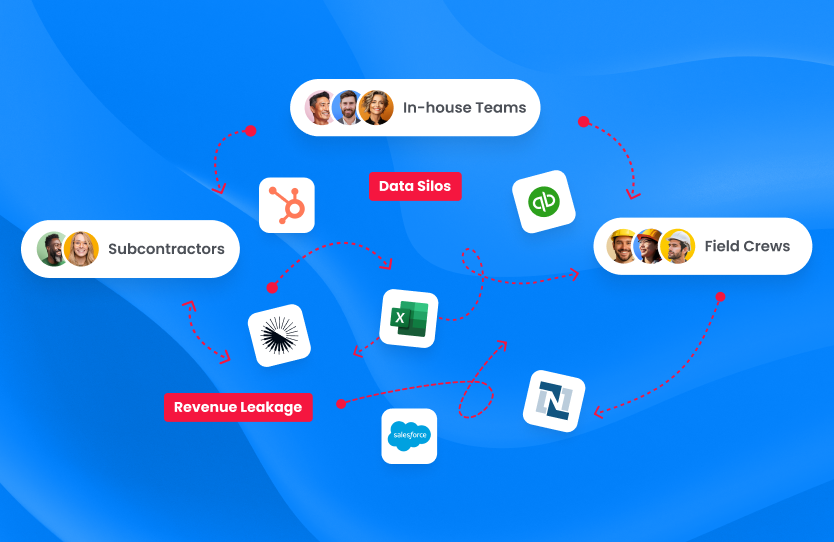
Learning how to audit your field service tech stack helps uncover the disconnected tools, duplicate work, and unreliable data that undermine operational performance. As installation, maintenance, and repair teams adopt technology across the job lifecycle, unplanned integration gaps can create missed handoffs, billing delays, and reporting blind spots.
A structured six-step audit gives operations leaders a practical way to identify what is working, understand where systems and workflows are breaking down, and build a roadmap for more connected field service operations.
1. Map Every Tool in Your Field Service Tech Stack
Start your field service tech stack audit by documenting every system used from the first customer interaction through job completion, invoicing, and ongoing service.
The inventory should not be limited to software formally purchased by IT. Include spreadsheets, shared drives, messaging apps, paper forms, and departmental tools employees rely on to keep work moving. These informal solutions often reveal where the official technology stack does not support the way work is actually completed.
A typical field service software stack may include:
- Customer relationship management software
- Estimating, proposal, or design tools
- Project and work order management systems
- Scheduling and dispatch software
- Mobile field reporting applications
- Asset monitoring platforms
- Inventory and procurement systems
- Accounting or enterprise resource planning software
- Business intelligence and reporting tools
- Document storage and communication platforms
A simple spreadsheet is usually enough to capture the essential information:
| Field | What to Record |
| System name | Official product or internal tool name |
| Business owner | Department responsible for the system |
| Primary function | Process the tool is expected to support |
| Active users | Employees, technicians, or contractors using it |
| Data inputs | Information entered or received |
| Data outputs | Information created or sent elsewhere |
| Connected systems | Platforms that exchange data with it |
| Contract cost | License, implementation, and support expenses |
This inventory can serve as a reusable tech stack audit checklist for future reviews. It also makes it easier to spot tools that have no clear owner, function, or connection to the wider organization.
2. Trace Data Flows Between Connected Systems
Once the inventory is complete, map how information moves between the systems.
Start with important data points such as customer details, job addresses, equipment information, appointment dates, technician notes, completion records, and invoice amounts. Trace each one from where it is created to every system and team that needs to use it.
At each handoff, note whether the information moves through:
- An automatic system integration
- A manual export and import
- Copying and pasting
- A spreadsheet maintained between systems
- Email, phone calls, or messaging
- No established transfer process
It is also important to determine whether each connection is one-way or bidirectional. A CRM may create a work order in a field service platform, for example, while job status updates never return to the CRM. Sales and customer support are then left working with outdated information.
A basic visual can make the tech stack integration audit easier to understand. Represent each system as a box, use arrows to show the direction of data flows, and mark broken or missing connections with an X.
Pay particular attention to duplicate data entry. When office staff recreate customer records, job details, or equipment information in several systems, the process consumes time and increases the likelihood of errors.
The purpose of this exercise is not simply to confirm that systems are technically connected. It is to determine whether accurate information reaches the right team at the right point in the workflow.
3. Assess Tool Usage, Overlap, and Adoption Gaps
A system can be fully implemented and still provide little operational value. The next stage of the field service software stack assessment is to determine which tools employees actually use and whether the business is paying for unnecessary or overlapping functionality.
Compare paid licenses with active users, then review login frequency, feature adoption, mobile usage, and the number of records created or completed. A large gap between licenses purchased and active users may indicate a training issue, a poor workflow fit, a usability problem, or unnecessary spending.
Overlap can be just as costly as low adoption. Look for examples such as:
- Two scheduling tools used by different departments
- Multiple reporting platforms producing conflicting numbers
- Separate project trackers maintained by individual managers
- Spreadsheets duplicating information stored in core systems
- Several communication channels used for job updates
Usage data only tells part of the story, so speak directly with field technicians, dispatchers, project managers, finance staff, and customer service teams. Ask which tools they rely on, which ones they avoid, and where they fall back to texting, paper, or spreadsheets.
These workarounds often point to a usability or process problem rather than employee resistance. A technician may avoid an application because it lacks offline access, requires duplicate entry, or does not provide the information needed on-site.
Based on the findings, classify each tool as one of the following:
- Keep: Supports a necessary process and is used effectively.
- Consolidate: Provides useful functionality that another system can perform.
- Replace: Creates operational friction or no longer meets business needs.
- Retire: Has low adoption, duplicates another system, or serves no essential purpose.
The right combination will differ by business model. A well-designed solar software stack, for example, may combine specialized CRM, design, field operations, monitoring, and accounting platforms rather than forcing every function into one system.
4. Spot Integration Gaps and Manual Workarounds
With the systems and data flows mapped, return to each handoff and evaluate how well the connection actually works.
Most connections will fall into one of four categories:
- Fully automated: Information moves accurately without manual intervention.
- Partially synchronized: Some fields transfer, but employees must complete or correct the record.
- One-way only: Information enters one system, but updates do not return.
- Completely manual: Employees transfer the information themselves.
Document the workarounds employees use to compensate for weak or missing connections, including CSV files, copy-and-paste routines, phone calls, email confirmations, and shared spreadsheets.
The next step is to identify the underlying cause of each gap. Common issues include:
- A missing connection between systems
- Delayed synchronization that creates stale data
- Incompatible formats or field structures
- One-way synchronization where two-way updates are needed
- Failed automations with no alerts or monitoring
- Unclear ownership when an integration stops working
Not every manual step needs to be automated. Certain approvals, exceptions, and decisions require human judgment. The real concern is predictable, repetitive data movement that employees perform simply because systems do not communicate properly.
Keeping that distinction in mind helps the integration gap analysis focus on issues that create genuine operational risk.
5. Quantify the Cost of Tech Stack Inefficiencies
A list of disconnected systems may explain the problem, but it may not create enough urgency to solve it. Operations leaders should connect each gap to its financial and operational consequences.
Begin by estimating how much time employees spend each week on data re-entry, spreadsheet reconciliation, status checks, document searches, error correction, and follow-up communication.
A simple annual estimate is:
Weekly manual hours × average hourly labor cost × 52 weeks
Add the cost of unused licenses, redundant software, outside consultants, and internal support time. Then consider the downstream effects of inaccurate or delayed information, such as:
- Billing delays caused by missing field documentation
- Scheduling errors caused by outdated job information
- Repeat visits caused by incomplete forms or photos
- Incorrect reports produced from conflicting data
- Missed service commitments when alerts do not create work orders
- Uncaptured additional work noted by technicians in isolated systems
For recurring issues, estimate the annual impact using:
Number of incidents × average cost per incident × annual frequency
The result does not need to be a perfect accounting figure. It should be a defensible estimate that allows leadership to compare the cost of fixing an integration with the cost of maintaining the current process.
An issue that initially appears to be an IT inconvenience may ultimately be a cash-flow, capacity, or customer-experience priority.
6. Prioritize Fixes and Build a Phased Roadmap
Trying to connect or replace everything at once can create more disruption than improvement, so prioritize each opportunity using an impact-versus-effort framework.
Consider factors such as:
- Manual hours eliminated
- Software spending recovered
- Expected reduction in errors
- Improvement to billing speed
- Effect on job cycle time
- Customer experience impact
- Implementation complexity
- Data quality and security requirements
Once each opportunity has been assessed, organize the findings into three groups: quick wins, strategic investments, and lower-priority improvements.
Quick Wins
Quick wins provide meaningful operational value with relatively low implementation effort. These may include removing unused licenses, retiring duplicate tools, standardizing important fields, or activating an existing native integration.
Strategic Investments
Strategic investments require more planning but can transform a core process. Common examples include CRM-to-work-order creation, a field-completion-to-invoicing trigger, and scheduling-to-field-status synchronization.
Lower-Priority Improvements
Some improvements provide limited immediate value or depend on foundational changes that must happen first. They should remain documented, but they should not distract the team from more consequential issues.
A phased roadmap might begin with quick wins and critical data standards in months one and two, followed by medium-complexity integrations and tool consolidation in months three and four. Larger platform changes, fragile custom processes, and organization-wide reporting improvements can follow from month five onward.
Depending on the systems involved, the business may use native integrations, iPaaS platforms, managed integration services, or custom API development. The best approach will depend on workflow complexity, internal technical capacity, flexibility, and long-term support needs.
For many field service organizations, the goal is not to force every process into one platform. It is to create a central operations layer that coordinates the work while integrations keep data moving between specialized systems.
Each phase should have clear success metrics, such as manual entries eliminated, synchronization failures, hours saved per job, billing cycle time, user adoption, and data accuracy. Test every new connection using real workflow scenarios before deployment, then assign a named owner and establish an ongoing monitoring cadence.
Why Does a Disconnected Field Service Tech Stack Cost More Than Expected?
The cost of disconnected technology compounds because the same information passes through several teams and systems over the life of a job.
A small data issue at intake may become a scheduling error, a field documentation gap, an invoicing delay, and eventually an unreliable management report. Each department spends time correcting a problem created earlier in the workflow.
How Do Manual Workarounds Drain Field Team Productivity?
When systems do not synchronize, office employees repeatedly enter customer information, job details, equipment records, and appointment data. Each repetition consumes time and increases the risk of incomplete or inconsistent records.
The effects eventually reach the field. Technicians may need to call the office for site details, search through old emails, or wait for someone to send the correct document. Time that should be spent completing customer work is instead used to locate and confirm information.
As job volume grows, businesses may respond by adding administrative staff rather than addressing the disconnected systems creating the workload.
Revenue Leakage From Disconnected Field Service Systems
The handoff between field completion and billing is one of the most important areas to assess.
When technician time, parts, photos, signatures, and completion reports remain trapped in a field application, finance cannot invoice confidently. Billing may be delayed, billable work may be missed, and employees may spend days reconciling records.
Technicians also identify repair needs, asset risks, and additional service opportunities. When those insights do not reach sales or customer success, potential revenue remains isolated in field reports.
Small discrepancies repeated across many jobs can become a material source of lost margin and slower cash collection.
What Happens to Decision-Making Without Connected Data?
Disconnected systems give leaders partial views of the business.
A dispatch platform may show schedule utilization without customer satisfaction. A CRM may show pipeline value without job completion speed. An accounting system may report revenue without explaining which operational processes produced the margin.
Without connected data, leadership may struggle to identify profitable service lines, at-risk customers, recurring bottlenecks, or underperforming workflows. Reliable insights depend on information flowing consistently across the customer and job lifecycle, not a collection of isolated dashboards.
Common Tech Stack Audit Mistakes Field Service Teams Make
A strong field service software audit evaluates technology, workflows, people, data, and business outcomes together. Common mistakes include auditing tools without first mapping data flows, ignoring technician and office staff input, reviewing features without evaluating actual usage, and skipping cost quantification.
Teams can also create new problems by trying to integrate everything at once, selecting software based on features alone, replacing tools before fixing the underlying process, or launching new connections without assigning ownership, testing workflows, and monitoring performance.
Connect Field Service Operations With Scoop
A tech stack audit often reveals that the problem is larger than one missing integration. Teams may have capable systems for CRM, accounting, design, monitoring, and reporting but still lack a shared operational layer for coordinating jobs, approvals, field activity, service work, and billing handoffs.
Scoop acts as a Central Operations Hub for field service teams managing installation, maintenance, and repair work. It gives office and field teams a connected place to manage operational workflows and visibility without requiring the business to replace every specialized system in its technology stack.
The GLOO integration service provides the managed integration layer that connects CRM, design, accounting, ERP, monitoring, and other operational platforms. With access to more than 500 connectors, turnkey implementation, integration engineering support, and ongoing monitoring of configured integrations, GLOO helps replace fragile manual transfers with more reliable data flows.
Together, Scoop’s field service management software and GLOO’s managed integration layer help organizations coordinate work across teams, improve data quality, reduce manual handoffs, shorten job timelines, and gain real-time visibility from sales through service and billing.
Explore Scoop’s integrations library to see which systems can become part of a more connected field service technology strategy.
Frequently Asked Questions About Field Service Tech Stack Audits
What Tools Should a Field Service Tech Stack Audit Cover First?
Start with connections that directly affect revenue and job execution. CRM-to-work-order creation and field-reporting-to-invoicing often provide strong returns because they influence handoff speed, data accuracy, and cash flow. Design, monitoring, scheduling, and dispatch connections can follow based on operational impact.
How Long Does a Field Service Tech Stack Audit Take?
As a general planning estimate, a small team with 5–15 technicians may complete the initial audit in 1–2 weeks. A mid-size team with 15–50 technicians may need 2–4 weeks, while a larger organization with more than 50 technicians may require 4–8 weeks.
Actual timing depends on the number of systems, workflow complexity, stakeholder availability, and data quality. Integration testing, stabilization, and monitoring continue after the initial assessment.
What Does Closing Integration Gaps Typically Cost?
Costs vary substantially by vendor, usage, system complexity, and support requirements. Native integrations may involve little or no additional cost but are limited to the functionality a vendor provides.
For preliminary planning, some organizations may budget approximately $500–$2,000 per month for an iPaaS platform, depending on volume and features. Managed integration services vary by scope, while a focused custom API integration may cost approximately $10,000–$50,000 or more. Larger custom development projects can cost significantly more.
These figures should be treated as illustrative estimates rather than standard rates. The business case should compare implementation costs with the ongoing impact of manual labor, errors, billing delays, and missed revenue.
Can Small Field Service Teams Benefit From a Tech Stack Audit?
Yes. Smaller teams often feel disconnected technology more acutely because fewer employees are available to absorb repetitive administrative work.
A small business can start with its highest-friction connection, such as transferring customer and job information from a CRM into a field application, and expand from there.
What Is the Difference Between Native Integrations and Managed Integration Services?
Native integrations are prebuilt connections offered within a software vendor’s ecosystem. They are often faster to activate but are limited to the systems, fields, and workflows the vendor supports.
Managed integration services provide more flexible connections designed, implemented, monitored, and supported by a dedicated integration partner. They require an ongoing service relationship but can better support complex or specialized workflows.