Native integrations vs API comes down to who builds and maintains the connection. A native integration is a vendor-built connection you switch on in settings, so it is fast and low-cost but limited to the fields the vendor mapped. A custom API integration is built by your developers or a consultant, so it fits any workflow but needs ongoing maintenance.
For field service companies, the integration approach decides how work moves from CRM to dispatch to invoicing, how fast crews get job details, and how much repeat data entry your office absorbs as installations, service calls, and recurring O&M visits grow. Most growing operations use a mix: native connections for simple syncs, and custom API work or a managed integration service for the workflows that carry revenue.
Key Takeaways
- Native integrations are built and maintained by the software vendor, turn on in minutes, and sync only the standard fields the vendor mapped.
- Custom API integrations take weeks to months to build, can map any field, trigger, or webhook your workflow needs, and stay your responsibility after launch.
- Point-to-point connections multiply quickly: a 5-tool stack can need 10 separate connections, and a 10-tool stack can need 45.
- Maintenance is the cost most teams miss. US software developers earned a median of $135,980 a year in May 2025 (Bureau of Labor Statistics), and every custom connection needs that developer time again when a connected system changes its API.
- A central operations hub connects CRM, accounting, design and proposal, and monitoring tools once, so replacing one system changes one integration instead of every workflow that depends on it.
Native Integrations vs API Integrations at a Glance
Native integrations, custom API integrations, and managed integration services differ most on who owns the connection after launch, how fast it goes live, and how much of your workflow it can carry.
|
Factor |
Native integration |
Custom API integration |
Managed integration service |
|
Who builds and maintains it |
The software vendor |
Your developers or a consultant |
The integration provider |
|
Setup time |
Minutes to hours, switched on in settings |
Weeks to months of scoping, building, and testing |
Scoped and built by the provider against your workflow |
|
Upfront cost |
Usually included in the subscription or sold as an add-on |
Developer time for design, build, and testing |
Set during the provider’s scoping |
|
Ongoing maintenance |
Handled by the vendor |
Your team, every time an API, field, or login token changes |
Handled by the provider, with monitoring after launch |
|
Data customization |
Limited to the fields and triggers the vendor mapped |
Any field, trigger, or webhook |
Any field and trigger agreed in scope |
|
Timing |
Often a scheduled sync (polling) |
Real time, through webhooks you design |
Real time where the connected systems support it |
|
Fits |
2 to 3 tools with simple syncs |
Proprietary systems and an in-house development team |
4 or more systems, or limited internal technical resources |
What Is a Native Integration?
A native integration is a pre-built connection between two software products that the vendor builds, hosts, and maintains. You turn it on from a settings or marketplace page, sign in to the second tool, and the vendor’s pre-mapped fields start syncing without any code.
In field service software, native integrations usually cover common categories such as CRM, accounting and invoicing, and calendars. The tradeoff is scope: a native integration moves only the records and fields the vendor anticipated, on the schedule the vendor chose.
What Is an API Integration?
An API integration is a connection your team or a consultant builds using a software product’s application programming interface (API), the published set of rules that lets one system read, create, or update data in another. You decide which fields move, what triggers an update, and how errors are handled.
Two terms come up in every API project. A webhook is a message one system sends the moment something happens, such as a technician marking a job complete, so the update arrives in real time instead of on a schedule. A rate limit is the maximum number of API requests a system accepts in a set window, which matters when hundreds of technicians upload photos, signatures, and status updates at once.
What Is the Difference Between an API and an Integration?
An API is the interface a software product exposes, and an integration is the working connection built on top of it. Every native integration and every custom integration uses an API underneath. The difference is who wrote the connection and who maintains it: the vendor for a native integration, or your team for a custom one.
Why Does the Integration Approach Matter for Field Service Teams?
Field service integration approaches carry higher stakes than most standard SaaS integrations because the system does not just move data. It moves work.
A broken handoff between two tools can delay a job, send a technician to the wrong site, create billing errors, or force an operations manager to manually rebuild the workflow. In field operations, every missed update costs time, and every manual workaround adds operational cost.
Most field service companies run workflows across several systems. A deal may start in CRM, move into project management, trigger scheduling and dispatch, require mobile field documentation, and then flow into accounting or billing. If one application does not connect properly, the entire workflow slows down.
That is why the best integration approach is the one that keeps data accurate, workflows moving, and managers informed without creating unnecessary technical debt.
What Are the Three Main Integration Approaches for Field Operations?
There are three common ways to connect field service software and operations tools.
Native integrations are vendor-built, pre-configured connections between two applications. They are usually built into the software platform and allow teams to connect tools without custom development.
Custom API integrations are direct connections built using application programming interfaces. APIs allow one system to send, receive, or update data in another system based on custom logic, triggers, and workflows.
Middleware or iPaaS platforms are centralized integration tools that sit between different applications. Instead of every system connecting directly to every other system, each application connects to a single platform that manages data flow, routing, and transformation.
Each approach can work. The right choice depends on how many systems you use, how complex your workflows are, how much control you need, and whether your team has the technical resources to build and maintain integrations over time.
How Do Native Integrations Work in Field Service Environments?
Native integrations are pre-built connections maintained by the software vendor. They are often the easiest way to connect two tools because the integration is already built into the product.
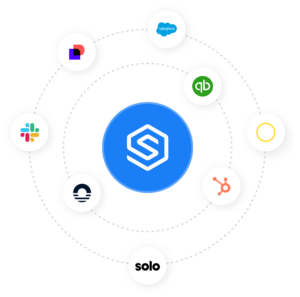
When comparing native integrations vs APIs in field service, the appeal of native connections is their simplicity. For example, a field service management software platform may offer a native integration with QuickBooks, Salesforce, HubSpot, or Google Calendar. Once activated, the native integration can sync predefined records, trigger basic updates, or move data between the two systems.
The benefits are clear. Native integrations are fast to activate, require little or no development, and are usually maintained by the vendor. A team can connect software tools quickly and start seeing value without building a custom application or hiring an integration specialist.
The limitation is that a native integration is usually restricted to what the vendor already supports. It may only connect two systems. It may only sync certain fields. It may only support basic triggers. If your field service workflow needs a different data mapping, a custom approval step, or a more advanced transformation, the native integration may not be flexible enough.
For example, a solar operations team may use a CRM, a design tool, a field service platform, and an accounting system. A native CRM integration may create a project when a deal is closed, but it may not map financing details, site survey requirements, design milestones, subcontractor tasks, and billing triggers into one connected workflow.
When Do Native Integrations Work Well for Field Operations?
Native integrations work best when the tech stack is small, the data flow is simple, and the vendor already supports the exact connection your team needs.
For a field service company using two or three core tools, native integrations may provide the fastest time-to-value. If your CRM only needs to send basic customer data into a service platform, or your scheduling tool only needs to sync calendar events, a native integration can be the right solution.
They are also a strong fit for teams early in their growth. When operations are still simple, reducing setup time often matters more than advanced customization. Native integrations can help teams get connected quickly without slowing the business down with technical planning.
In these cases, native integrations vs API field ops decisions are usually straightforward. If the native connection does exactly what you need, it may be the best and simplest option.
Where Do Native Integrations Fall Short in Field Ops?
Native integrations start to fall short when field service workflows span multiple systems, departments, and data dependencies.
The biggest issue is that native integrations are usually point-to-point. They connect one tool to another, but they do not create a centralized integration layer across the business. As the stack grows, teams may end up with several disconnected native integrations that each work differently.
This creates management problems. There is often no single dashboard to monitor whether every connection is working. There may be no shared error handling. There may be no way to transform data across multiple systems in a consistent way.
Native integration limitations field ops teams often face include limited field mapping, limited workflow logic, limited support for custom triggers, and dependency on the vendor’s roadmap. If the vendor does not support a new tool or expanded workflow, your team has to wait, build a workaround, or add another integration method.
That becomes a cost and scale problem. As workflows become more complex, operations leaders need integration architecture that can grow with the business, not just connect two tools at a time.
What Does Custom API Integration Offer Field Service Companies?
Custom API integrations give field service companies maximum control.
With APIs, your team can build direct connections between systems using each application programming interface. This allows you to define exactly how data moves, which fields are mapped, what triggers an update, and how exceptions are handled.
For companies with unique workflows, custom API integrations can be powerful. A business may need to connect a CRM, design platform, ERP, field service application, reporting tool, and billing system in a very specific way. If no native integration supports the workflow, custom API development may be the only path to create the right solution.
A custom API integration is the right call when:
- You run proprietary systems, such as an in-house pricing engine, estimating tool, or legacy ERP, that no vendor will build a native connector for.
- A dispatch decision depends on real-time logic, such as assigning a technician the moment an emergency ticket arrives.
- A sync runs long jobs, such as processing large batches of site photos or reports, that a pre-built connector would time out on.
- You need audit logs and approval steps inside the connection itself for compliance.
Custom API integrations are especially useful for enterprise teams with in-house developers, modern integration practices, and clear ownership over the technical architecture. They can support advanced data transformations, custom workflow triggers, and direct system-to-system communication.
However, custom API integrations require real technical resources. The team needs API knowledge, authentication management, data schema design, programming expertise, monitoring infrastructure, and ongoing maintenance capacity. Without that foundation, custom integrations can become brittle.
What Are the Scalability Risks of Point-to-Point API Connections?
The main scalability risk with custom API integrations is connection complexity.
When systems are connected point-to-point, each tool may need a direct connection to every other tool it exchanges data with. The number of connections grows much faster than the number of tools.
A 5-tool stack may require 10 connections. A 10-tool stack may require 45 connections. Each connection has to be built, documented, monitored, updated, and maintained.
This creates a major cost and management challenge for field service companies trying to scale. Adding one new tool may require building connections to the CRM, field service platform, scheduling software, billing system, reporting tool, and document management system.
The workflow may be possible, but the technical burden grows quickly. As the business adds new services, regions, teams, or software tools, point-to-point API connections become harder to manage.
How Does API Maintenance Affect Field Operations Teams?
API maintenance often becomes the hidden cost of custom integration.
APIs change. Authentication tokens expire. Rate limits are reached. Data schemas evolve. Vendors release new API versions. Error handling needs to be monitored. A workflow that works today may break when one connected system changes how it sends or receives data.
Documentation is a common weak point. In Postman’s 2025 State of the API Report, 93% of API teams reported collaboration blockers, 55% cited documentation problems, and only 26% used semantic versioning to show what changed between releases. An integration written by one person is often documented only in that person’s head, and when they leave, nobody on the team wants to change it.
In many field operations companies, there is no dedicated integration engineering team. The work often falls to an operations manager, IT generalist, external consultant, or a technically inclined team member who already has other responsibilities.
That creates risk. Every hour spent debugging a broken API connection is an hour not spent managing field work, improving workflows, supporting technicians, or optimizing customer service. Developer time is also expensive: the Bureau of Labor Statistics puts the median annual pay for US software developers at $135,980 as of May 2025, and an internal integration competes for that time with every other development priority.
Custom APIs can be the right approach, but only when the company has the team, budget, and process to support them over time.
What Are the Tradeoffs Between Native Integrations and an Open API Approach?
The main tradeoff between native integrations and an open API approach is speed and low effort against control and flexibility. A native integration works on day one and does only what the vendor built. An open API lets you build any workflow, and you own every change after launch.
- Speed against fit: native connections go live in minutes, while API builds take weeks and match your exact process.
- Cost now against cost later: native connections are usually included in the subscription, while a custom API needs a project budget plus maintenance for as long as the connection runs.
- Vendor roadmap against your roadmap: with a native integration, a new field or trigger waits for the vendor to add it. With an API, your team adds it.
- Who answers when it breaks: the vendor supports a native integration, while a custom build lands on whoever wrote the code.
- Platform policy risk: a vendor can change its API terms or retire a partner integration when it launches a competing feature, which can break a custom dependency.
How Does Middleware Connect Field Service Systems?
Middleware and iPaaS field service management platforms solve the connection complexity problem by creating a centralized integration layer.
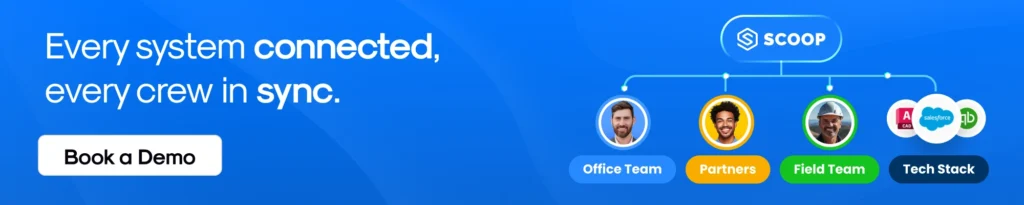
Instead of connecting every tool directly to every other tool, each system connects once to the middleware platform. The middleware manages the data flow across tools, transforms records, routes updates, and provides monitoring in a single place.
This changes the architecture from complex point-to-point connections to a hub-and-spoke model. Instead of O(n²) complexity, where every system needs multiple direct connections, the middleware approach reduces the structure closer to O(n), where each application connects once to the central platform.
For field service teams, this can simplify real-time workflows across CRM, scheduling, dispatch, field reporting, accounting, and analytics software. Middleware can support pre-built connectors, visual workflow builders, transformation logic, error monitoring dashboards, and automated retries without requiring every workflow to be custom-coded.
This makes API vs middleware field service decisions important for growing companies. Middleware can provide the flexibility of APIs with less long-term connection sprawl.
What Types of Middleware Platforms Exist for Field Service?
There are three common middleware models.
Self-service iPaaS platforms give teams tools to build and manage integrations themselves. These platforms can be useful for companies with moderate technical skills and relatively standard workflows. They often offer a lower cost entry point but may be limited for complex field workflows.
Enterprise iPaaS platforms provide more powerful integration capabilities, advanced governance, security controls, and scalability. They are often a fit for larger companies, but they may require dedicated administrators, more technical expertise, and a higher budget.
Managed integration services combine middleware infrastructure with dedicated integration support. Instead of requiring the field service company to design, build, and maintain every integration, the provider handles implementation, monitoring, and ongoing optimization.
For many modern field service companies, managed integration service field service models offer the best balance. They provide a scalable integration layer without forcing operations teams to become software integration teams.
What Are the Limitations of Middleware for Field Ops?
Middleware is powerful, but it is not always the right answer for every connection.
The first limitation is cost. Self-service iPaaS platforms may range from $500 to $5,000 or more per month depending on usage, features, and connector needs. Enterprise iPaaS solutions may start at $30,000 or more per year. Managed integration services usually use a fixed monthly subscription that includes implementation and support.
The second limitation is dependency. If the middleware layer goes down, it may affect multiple workflows at once. That makes reliability, monitoring, and support especially important.
The third limitation is complexity. Middleware requires thoughtful configuration. If a business only needs one simple connection between two tools, a native integration may be easier and more cost-effective.
The right approach may combine methods. A company may use native integrations where they work well, custom APIs for highly specific workflows, and middleware for complex multi-system processes.
How Should Field Service Companies Choose an Integration Approach?
The best integration method solar operations and field service teams choose should depend on four factors.
First, consider the number of systems in your stack. If you use two or three tools with simple sync needs, native integrations may be enough. If you use four or more systems across CRM, scheduling, dispatch, field reporting, and billing, middleware or managed integration services may provide a better foundation.
Second, evaluate workflow complexity. If data only needs to move from one system to another, native integrations can work. If workflows require conditional routing, custom field mapping, approval logic, error handling, or real-time updates across multiple tools, API or middleware options become more relevant.
Third, assess in-house technical resources. If your team has developers and integration engineers, custom API integrations may be viable. If not, a managed integration service can help provide the technical layer without forcing your operations team to build and maintain it.
Fourth, look at your growth trajectory. If your company is adding new services, expanding into new regions, scaling field teams, or changing software tools, the integration architecture needs to support future change.
A practical guide is simple:
- 2 to 3 tools with simple workflows usually fit native integrations.
- Unique workflow requirements with an in-house development team may fit custom API integrations.
- A growing stack, 4 or more systems, or limited in-house technical resources usually points toward middleware or managed integration services.
Connect Field Operations Systems With Scoop
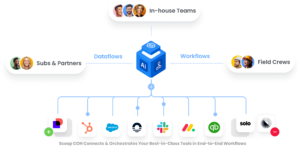
Scoop is a central operations hub for field service and renewable energy teams. Your CRM keeps managing sales, your accounting platform keeps the financials, and your design software keeps layouts, while Scoop runs installations, service calls, recurring O&M work, and field data across them.
We connect those systems two ways, and the choice belongs to your team. Scoop’s GLOO integration service is fully hosted and managed: we scope each integration against how your operation runs, build it, monitor it after launch, and assign a dedicated GLOO integration engineer to keep it working. GLOO flows are built on a visual canvas rather than in code, so anyone on your team can open one later and see what it does. If your developers would rather own the logic, they can build directly against the Scoop API instead.
Scoop connects with more than 500 applications across CRM, accounting and finance, ERP, solar design and sales, document management, and e-signature, all listed in the Scoop integrations library. Every connected system stays independently replaceable, so changing your CRM in two years changes one integration, and your crews notice nothing.
Solar Path grew fivefold in its second year with Scoop at the center of its operations. “Scoop is the backbone of our software stack,” said Ken Hegarty, Co-Founder of Solar Path.
Frequently Asked Questions About Native Integrations vs API
What Is the Fastest Way to Connect Field Service Tools?
Native integrations usually offer the fastest time-to-value when they are available between the exact tools your team already uses. They are pre-built, vendor-maintained, and often require minimal setup time. When a native connection is not available, a managed integration service is often the next-best option because the provider handles configuration and deployment without requiring in-house development.
How Much Does Field Service Software Integration Cost?
Native integrations are usually included in the software subscription, although some vendors charge for premium connectors. Custom API integration may cost $50 to $200+ per hour for development, plus ongoing maintenance. Self-service iPaaS platforms may cost $500 to $5,000+ per month, enterprise iPaaS may start at $30,000+ per year, and managed services often use a fixed monthly subscription that includes implementation and support. The bigger cost to consider is the cost of not integrating: manual data entry, billing errors, scheduling delays, and management time spent reconciling systems.
Can Small Field Service Companies Benefit From Middleware?
Yes, small field service companies may benefit from middleware when they already use three or more systems. Even a small team can lose time when CRM, scheduling, field reporting, and billing tools do not connect. A lightweight iPaaS platform or managed integration service can help reduce manual entry and handoff errors without requiring the company to hire developers. The best place to start is usually the single highest-friction connection.
What Happens When a Native Integration Does Not Support a Needed Workflow?
When a native integration does not support a needed workflow, teams usually have three options. They can accept the limitation and work around it manually, build a custom API connection to fill the gap, or move to a middleware solution that manages both standard and custom workflows in one place. The right choice depends on the long-term cost, workflow importance, and how much the tech stack is expected to grow.
How Do Managed Integration Services Differ From Self-Service iPaaS?
Self-service iPaaS platforms provide tools for companies to build and maintain their own integrations. Managed integration services provide the platform plus dedicated integration engineers who handle design, deployment, monitoring, and ongoing updates. For field service teams, managed services are often the right fit when operations leaders need reliable integrations but do not want to build an internal integration function. The team stays focused on service execution while the provider manages the technical layer.
Can You Use Native Integrations and API Integrations Together?
Yes. Most field service companies run a hybrid: native integrations for simple, stable syncs such as calendars or basic contact records, and custom API or managed integrations for the workflows that carry revenue, such as project handoffs, dispatch, and invoicing. Keep a list of every connection and its owner so a broken sync gets caught before it reaches a crew.
Are Native Integrations More Secure Than Custom API Integrations?
Not automatically. A native integration inherits the vendor’s security review and credential handling, which removes work from your team. A custom API integration can be equally secure, but your team is responsible for storing credentials safely, limiting permissions, and logging access. Ask any provider how credentials are stored and who can see your data in transit.
What Is a Webhook in a Field Service Integration?
A webhook is an automatic message one system sends to another the moment an event happens, such as a job being marked complete or an emergency ticket being created. Webhooks let a field service integration update dispatch, billing, or the CRM in real time instead of waiting for a scheduled sync, which matters most for emergency service calls and same-day invoicing.