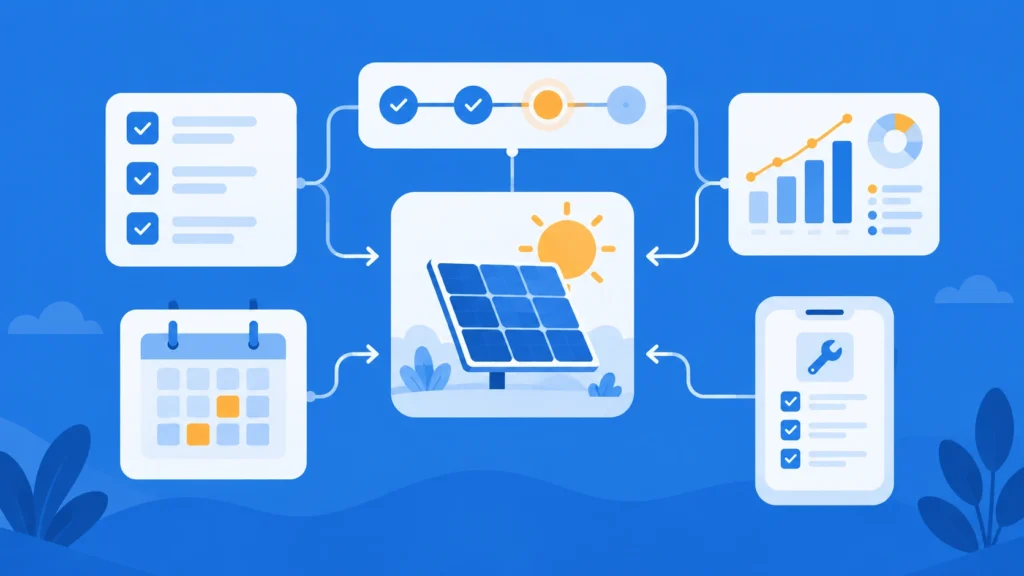
CRM and FSM integration connects your customer relationship management (CRM) system to your field service management (FSM) software so customer, contract, site, and job data move between them automatically. A closed deal becomes a scheduled job, technicians see the full customer record on site, and completion data flows back to sales and billing without repeat data entry.
Key Takeaways
- CRM and FSM integration links the system that wins the customer to the system that delivers the work, so one closed-won deal creates the project or work order with no repeat data entry.
- Data quality is the biggest data integrity challenge for 38% of data and analytics leaders (Drexel LeBow and Precisely, 2026 State of Data Integrity and AI Readiness), and every manual handoff between sales and field systems is another chance to introduce an error.
- A repeat site visit costs between $500 and $1,500, depending on whether it is a service call or an installation project, so giving technicians the full customer and equipment record before they arrive protects margin on every job.
- Every truck roll also carries mileage: the IRS business standard mileage rate rose to 76 cents per mile on July 1, 2026.
- The 10 benefits fall into three groups: less admin work, better field execution, and more revenue from existing customers, including recurring O&M and preventive maintenance contracts.
- There are 4 common ways to connect the two systems. The right one depends on how many other tools your operation runs and who will maintain the connection in two or three years.
What Is CRM?
A CRM (customer relationship management) system is software that stores customer and prospect records and manages the sales pipeline, marketing activity, contracts, and account communication in one place. Sales teams, account managers, and customer success teams use a CRM to track every lead, deal, and customer interaction from first contact through renewal. In 2025, 25% of small enterprises in the EU used CRM software, compared with 65% of large enterprises, according to Eurostat.
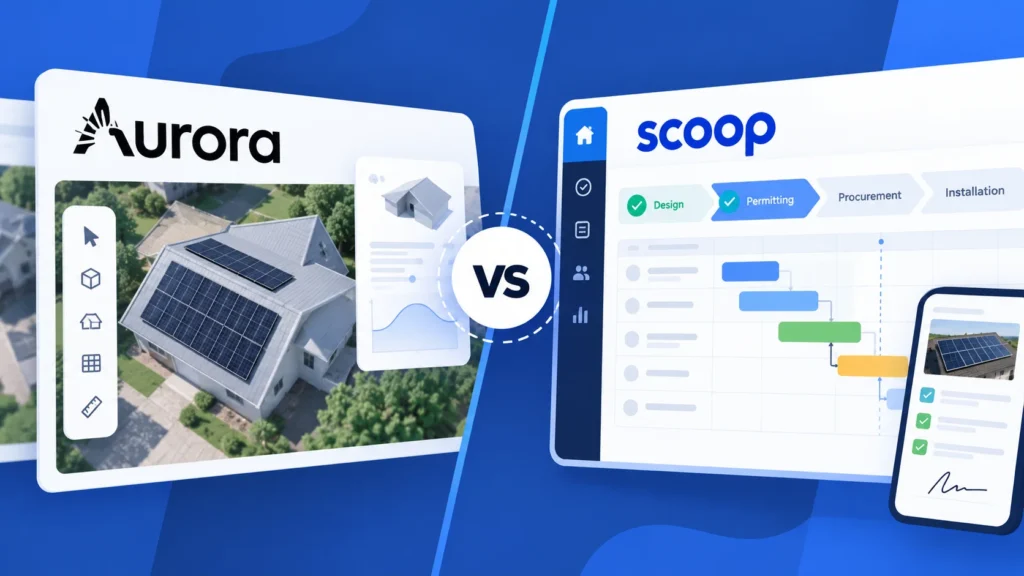
Solar companies are a clear example, which is why our guide on how to choose a solar CRM covers what a generic CRM misses.
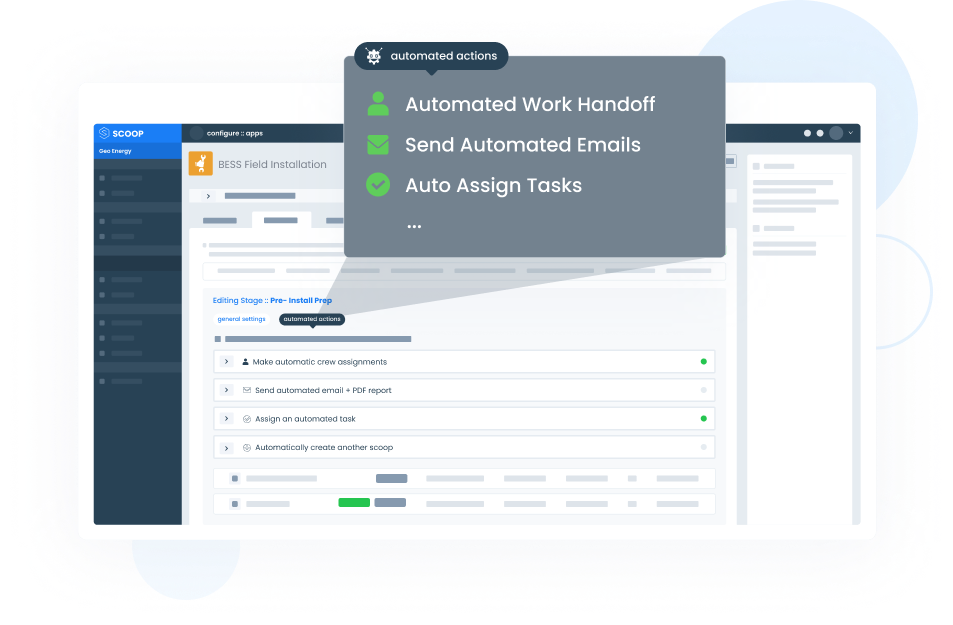
Scoop’s solar CRM software connects to the CRM you already use and turns each won deal into an operational job with the client, location, and work details attached.
What Is FSM?
FSM (field service management) software plans, dispatches, and records the work done at a customer site: scheduling, dispatch, work orders, technician mobile apps, inspections, asset history, and service reports. Dispatchers, field technicians, project managers, and operations and maintenance (O&M) teams use FSM software to get the right technician to the right site with the right information, then document what was done.
Scoop’s field service management software carries that work from the first site visit to the service report and connects to the CRM where the customer record lives. To compare platforms side by side, see our ranking of the best field service management software.
Technician time is hard to replace. The Bureau of Labor Statistics projects about 569,000 openings per year for installation, maintenance, and repair workers from 2025 to 2035, so every wasted visit uses capacity your team may not be able to hire.
What Is CRM and FSM Integration?
CRM and FSM integration is an automated connection that syncs customer, contract, site, job, and billing data between your CRM and your field service management software, so sales and field operations work from the same record.
When a deal closes, the integration creates the job in the FSM software. When the job is complete, it sends status, photos, and completion data back to the CRM and to invoicing.
| CRM | FSM software | CRM and FSM integration | |
| Main job | Wins and manages the customer relationship | Plans, dispatches, and documents field work | Moves data between the two automatically |
| Primary users | Sales, marketing, and account managers | Dispatchers, technicians, project managers, and O&M teams | Both teams, plus finance |
| Core records | Leads, deals, contacts, and contracts | Jobs, work orders, schedules, assets, and service reports | One shared customer, site, contract, and job record |
| Metrics it moves | Pipeline, win rate, and renewal rate | First-time fix rate, response time, and technician utilization | Handoff time, invoice cycle time, and data accuracy |
| What breaks without it | Sales cannot see job status | Technicians arrive without account context | Repeat data entry, errors, and late invoices |
How Does CRM and FSM Integration Work?
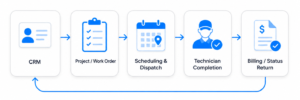
CRM and FSM integration works through triggers: an event in one system, such as a deal marked closed-won, creates or updates a record in the other. A typical sales-to-field flow runs in six steps:
- A deal is marked closed-won in the CRM.
- The integration creates the project or work order in the FSM software and maps customer, site, scope, and contract fields.
- A dispatcher schedules the job and assigns a technician based on skill, location, and priority.
- The technician sees the full customer and equipment record in the mobile app, completes the work, and captures photos, forms, and signatures on site.
- Completion data syncs back: the CRM shows the job status, and the accounting platform receives the trigger to invoice.
- Service history stays attached to the customer record, so renewals, warranty work, and preventive maintenance are planned from complete data.

1. Eliminates Manual Data Entry and Duplicate Work
With the right integration configured, a closed-won deal in the CRM can create the project record in the field service software and map selected customer, contract, site, and milestone data into the operational workflow: customer details, site address, scope of work, and contract terms carry over without re-keying. The work that used to eat an hour of admin time per job now happens the moment the deal is marked won.
The flow can run both ways. When a technician completes a job and submits a report, field and project updates can be returned to the CRM where the integration scope and system access support it, so sales and account managers see the latest status without chasing operations for updates. Where teams enable that bidirectional flow, installation handoffs from sales to operations become a seamless process instead of a manual relay.
Cutting duplicate entries does more than save time. It removes the transcription errors that creep in every time someone retypes an address or a part number, which keeps both systems clean and makes downstream processes like scheduling and tracking far easier to manage more efficiently.
2. Speeds Up Scheduling and Dispatch With Shared Customer Data
Dispatchers can work from an operational schedule connected to the customer, site, project, and service data required for the job. Instead of manually reconciling records across disconnected tools, the workflow brings the relevant information into the dispatch process and keeps the source systems updated. Telecom operators, for example, use telecom field service dispatch software to send crews to fiber, tower, and wireless sites with the scope, site details, and preventive maintenance history already attached to the job.
That shared context changes how work gets assigned. The right technician gets matched to each job based on skill, location, and customer priority, all pulled from live CRM data instead of a dispatcher’s memory. When a request comes in, the system surfaces the account details in real time, so the team can triage and route tasks in minutes and save the time that used to disappear into phone tag.
Faster, better-informed dispatch means fewer wasted truck rolls from sending the wrong technician, and operations that can absorb more volume without adding headcount to manage the load.
3. Shortens Billing Cycles Through Automated Triggers
A completed job used to sit for days before it turned into an invoice, waiting on office staff to chase down paperwork and confirm what was actually done. Integration removes that lag at the source.
The moment a technician marks a job complete and uploads documentation, the system triggers the invoicing workflows automatically. Contract terms from the CRM set the pricing, field completion data from the field service software confirms the work was delivered, and billing kicks off without the manual tracking and review queue that used to stall it. Office staff shift from re-keying job details to approving the occasional exception.
Shorter billing cycles tighten cash flow, and the same shared record cuts disputes, because every line item traces back to a documented, time-stamped completion the customer can’t easily contest. Finance spends less time reconciling field data, a direct efficiency gain, and more time on the processes that actually move money. Each billing cycle becomes faster and easier to manage.
4. Gives Field Technicians Full Customer Context Before Arriving On-Site
A technician who arrives without account context starts the job at a disadvantage. Integration removes that blind spot by putting the full customer record on the technician’s mobile app: service history, previous work orders, customer preferences, and the contract terms that define what’s covered.
Since that information travels with the technician, the customer doesn’t have to repeat the problem or re-explain past visits. The technician walks in already knowing the site layout, the equipment on-site, and which troubleshooting steps have already been attempted, so the conversation starts at the real issue instead of the basics.
That context is what lifts first-time fix rates. When a technician can access the right details before arriving, they bring the right parts and plan the right approach to close the job in a single visit, which spares the customer a second appointment and protects the experience that keeps them loyal.
5. Enables Proactive Service Communication
Proactive communication is the difference between a customer who feels supported and one who feels left guessing. When the CRM and field service software share a live schedule, the system can fire automated appointment confirmations, ETA updates, and post-service follow-ups without anyone remembering to send them.
That same shared schedule gives sales reps a window they never had. They can see upcoming service visits in the CRM and time outreach, such as a renewal nudge or an upsell conversation, around a real touchpoint instead of a cold call. The service visit becomes a natural reason to reconnect, and the customer hears from the company when it actually matters.
The payoff is a better customer experience and less inbound noise. Customers stay informed in real-time instead of chasing updates, which lifts satisfaction and frees your team from fielding “Where’s my technician?” calls all day.
6. Strengthens Customer Retention Through Consistent Service
When every team member works from the same customer record, service quality stops depending on who happens to pick up the job. Nobody loses context during a handoff. The next technician sees exactly what the last one did, so the customer gets a consistent experience whether it’s their first visit or their tenth.
This compounds for teams that manage long-term maintenance contracts, where service history accumulates in one record and renewals become data-driven conversations grounded in what the company has actually delivered. Field service teams in industries like solar lean on a connected solar CRM to turn that continuous history into clear renewal and retention signals.
Consistent service is what improves retention over time. Customers renew when the experience gets better and stays reliable, and a single shared record makes that reliability repeatable, which lifts satisfaction and the odds they expand the relationship instead of shopping it elsewhere.
7. Reduces Revenue Leakage From Missed Service Opportunities
Revenue leaks quietly when service data and sales data live in separate systems. A service visit may uncover aging equipment, an approaching SLA renewal, or a clear upsell opportunity, but without a CRM integration, that signal stays buried in the field service software and never reaches the sales team. By connecting these two systems those signals, surface where reps can act on them. Sales sees when equipment is due for maintenance, when a contract is approaching renewal, and when a technician has flagged an opportunity in the field, so the team can track and work each one instead of letting it lapse.
For most businesses, this is the difference between reactive and proactive revenue. Every missed renewal or overlooked upsell is margin left on the table, and tightening the loop between field operations and sales is one of the cleanest ways to manage and recover it.
8. Lowers Operational Costs Through Workflow Automation
Add up what a single avoidable truck roll costs, then multiply it across a year of mis-dispatched jobs, and the case for automation makes itself. Connecting the CRM and field service software reduces operating costs in three places at once. Fewer wasted truck rolls when the right technician arrives with the right parts, less admin time when data moves between systems instead of being re-entered, and lower error rates when fields auto-populate instead of relying on manual entry.
Each gain compounds. Pulling hours of manual data transfer out of the back office frees staff for work that needs judgment, tightening dispatch lets the same crew close more jobs per day, and a clean, auto-populated record keeps downstream processes from spawning the small errors that turn into expensive callbacks, so the operation runs more efficiently without adding headcount.
The savings can add up quickly for growing businesses. Industry analyses of field service modernization consistently point to strong returns within the first year, and while every operation differs, the direction is clear: connecting sales and service data improves margin as you scale. A purpose-built field service management software that syncs with a CRM is what turns those one-off savings into a repeatable cost structure.
9. Unifies Reporting Across Sales and Service
CRM and FSM integration unifies reporting because sales data and field data sit on the same customer and job records. Operations leaders can track response time, first-time fix rate, technician utilization, invoice cycle time, and revenue per customer in one dashboard instead of exporting two systems into a spreadsheet.
Sales leaders can see which customers generate the most service work and which contracts are due for renewal. Unified reporting also shows your peak service seasons, so you can plan crew capacity and parts before the busy months arrive.
10. Supports Preventive Maintenance and Recurring O&M Work
CRM and FSM integration supports preventive maintenance by turning the service contract in your CRM into a recurring schedule of work orders in your field service software. Visit frequency, SLA terms, and covered equipment carry over from the contract, so O&M teams do not rebuild each schedule by hand.
Every completed visit adds to the asset history: what was inspected, what was replaced, photos, and readings. That record gives you SLA evidence for the client, supports warranty claims, and shows sales when equipment is nearing replacement. Where a monitoring platform sends alarms, the integration turns each alarm into a work order attached to the right asset and customer, so corrective work starts from the same record.
What to Look for When Evaluating CRM and Field Service Integration?
Not every integration delivers the same value, and the longest features list rarely wins. A few criteria are more important than the rest, separating a setup that scales from one that creates new bottlenecks.
- Bidirectional data sync, not one-way pushes: a one-way sync (CRM to field service software only) leaves sales blind to field execution. True two-way sync keeps both systems current in real-time rather than on a batch schedule, so every team works from the same live record.
- Integration flexibility with your existing tool stack: field service companies already run design, proposal, accounting, and monitoring tools. Favor a best-of-breed approach that connects specialized tools through a central operational layer, like our GLOO integration platform, instead of forcing every function into one rigid system your team won’t fully use.
- Scalability as operations grow: a 20-person installation crew has different needs than a 200-person service operation managing 500+ sites. Confirm the solution scales with job volume, user count, and geographic coverage, so performance holds as the operation grows.
- Total cost of ownership, not just license fees: the sticker price hides the real number. Data migration can run 15-25% of project cost and training 20-30% of the first-year budget: budget for both so the right tool doesn’t stall on an underfunded rollout.
Connect CRM and Field Service Execution With Scoop
Scoop is the Central Operations Hub that connects your CRM to field execution, turning closed deals into scheduled, trackable projects and pushing completion data back so sales and operations finally run on one system.
We integrate with the CRM platforms field service teams already use, including Salesforce and HubSpot through GLOO, so you keep the tools your team knows while gaining the operational efficiency of a connected workflow.
If you manage installation, maintenance, or repair work and want a single solution to run it on, see how Scoop supports your field service operations and book a demo.
Frequently Asked Questions About CRM and Field Service Software Integration
What Is the Difference Between a CRM and Field Service Management Software?
A CRM is the system that manages customer relationships, sales pipelines, and account data, while field service management software manages the execution side of the business: dispatch, scheduling, work orders, and the technician’s day in the field. The two serve different functions, but they share enough overlapping data that connecting them is where most businesses gain the most.
How Long Does CRM and Field Service Software Integration Take to Implement?
Implementation time depends on the complexity of your operations and existing tech stack: a simple integration using native connectors can go live in a few weeks, while a complex enterprise build with custom data mapping and legacy systems may take several months. For most businesses, the more useful question is when the work pays back, and simpler integrations recoup their cost far faster than complex enterprise builds, which is the realistic window to set expectations against.
What Are the Risks of Not Integrating CRM and Field Service Software?
The risks compound quietly and hit growing businesses hardest: disconnected systems create data inconsistency, slower billing cycles, and missed service opportunities, while technicians work with incomplete information and customers get frustrated repeating themselves. The longer the two systems stay siloed, the more manual work and wasted time it takes to manage the gap, and the harder it becomes to control the errors and delays that grow alongside your operations.
How Does CRM-FSM Integration Affect First-Time Fix Rates?
It raises them, because when technicians can access a job’s full customer and equipment history before arriving on-site, they show up with the right parts and the right information to finish in a single visit. Integrated scheduling reinforces this by matching technician skills to job requirements using CRM data, so fewer jobs need a second trip, which is how integration improves first-time fix rates and the day-to-day efficiency of the whole crew.
Can CRM and FSM Integration Support Recurring O&M and Preventive Maintenance?
Yes. CRM and FSM integration turns service contracts in your CRM into recurring work orders in your field service software, with visit frequency, SLA terms, and covered equipment carried over. Each visit adds to the asset history, which gives O&M teams SLA evidence for clients, support for warranty claims, and early notice when equipment needs replacing.
Should Field Service Run Inside the CRM or in a Separate Platform?
Field service can run inside the CRM when your operation is consolidated in one CRM ecosystem and your field work fits its objects and reports. A separate field service platform connected to the CRM fits better when you run several other tools, work with subcontractors, or expect to change your CRM because each system stays replaceable without rebuilding field operations.