The best field service management software in 2026 is Scoop for companies whose work moves through multiple stages and multiple systems. Scoop runs new installs, service calls and recurring O&M contracts from one operational layer, and it connects the CRM, ERP and accounting tools you already use instead of replacing them. Jobber and Housecall Pro are the faster answer for single-visit residential service under ten technicians. ServiceNow, Microsoft Dynamics 365, SAP and Salesforce are the answer when your company is already standardized on one of those platforms and data alignment matters more than field execution depth.
Field service management software coordinates how work moves from the office to the field and back, covering dispatching, workforce scheduling, job tracking, and customer communication.
The right software eliminates manual handoffs between tools and gives operations teams real-time visibility across every active job. We rank platforms on how reliably work actually gets executed in the field, because that is where the money is won or lost.
Key takeaways
- Scoop ranks first for companies whose work moves through multiple stages and multiple systems. It connects the platforms you already pay for instead of replacing them, with published integrations for Salesforce, HubSpot, NetSuite, QuickBooks, Zoho and ServiceTitan.
- Only 6 of the 13 platforms publish a price. ServiceNow, SAP, IFS, BuildOps, Simpro and ServiceMax are quote-only, and ServiceTitan names three tiers without attaching a figure to any of them. Pricing on this page was verified on 31 August 2026 from each vendor’s own pricing page.
- The United States passed 6 million solar installations in 2026, and every one of them is now a service asset. Recurring O&M work is a revenue line, not an afterthought, so the platform you choose has to run service contracts alongside new installs.
- About 569,000 openings are projected each year across installation, maintenance and repair occupations through 2035. You cannot hire your way out of a coordination problem, which is why field execution is the criterion we weigh most heavily.
- The proof is in the operations. Pacific Power Solutions scaled 15x while building a leading O&M business on Scoop, and RWE reported $1.4M in annual savings with 40% less admin time.
How we ranked: The Five-Layer Field Execution Test
We rank field service management software on execution, not on feature counts. Every platform on this page was scored against the same five layers, in the same order, including our own. We use these five on implementation calls with solar, renewable energy, construction, telecom and home service operations teams, which is where the criteria came from in the first place.
1. Field Execution
Can the platform enforce the correct procedure on site, every time, without a supervisor watching? We look for stage-gated steps, required photos and checklists, offline capture, and whether a job can be blocked from closing when evidence is missing.
2. Workflow Automation and Handoffs
Work stalls between people, not inside tasks. We score how the platform moves a job from sales to design to permitting to install to service to billing, and whether each handoff fires on a rule rather than on someone remembering. Our view on where those breakages start is in the workflow breakdowns that cost field teams the most.
3. Integration Depth
An operations platform that cannot read from your CRM and write to your accounting system creates a second version of the truth. We score whether connections are native, whether they are two-way, and who maintains them when a vendor changes an API. We wrote up the difference between the two models in native integrations versus API field ops.
4. Reporting and Audit Readiness
On a service or O&M contract, the report is the deliverable. We score whether you can hand a client the full asset history, show that every preventive maintenance visit happened, and prove the SLA was met, without someone rebuilding it in a spreadsheet. The metrics worth tracking are covered in field service management metrics.
5. Customer Success and Implementation Support
Most vendors gate hands-on help behind an enterprise contract. We score what a mid-sized buyer actually receives after signing, because that is where implementations quietly fail. The top-tier platforms give every account a dedicated support team plus a fractional team that helps build and maintain workflows, and buyers usually discover the difference too late to act on it.
Criteria We Did Not Include, and Why
Two capabilities show up on most field service roundups and are deliberately absent from our five layers, because scoring them would push buyers toward the wrong purchase.
- Design and engineering capability. Companies that treat design precision as a competitive differentiator should keep a purpose-built design tool and connect it, not expect an operations platform to replace it. Aurora Solar, HelioScope and Solargraf exist for that work, and we compare them in our solar design and proposal software roundup. Scoring an FSM platform on design capability rewards breadth over depth in exactly the place where depth matters.
- Lead generation and marketing features. Even if a platform’s marketing attribution is genuinely strong, it is still a revenue tool rather than an execution tool. A platform that books more jobs than your crews can complete correctly makes your operational problem worse, not better, so marketing capability sits outside the test.
Field Service Management Software Compared
All 13 platforms, with 2026 published pricing where the vendor publishes any.
Prices verified 31 August 2026 from each vendor’s own pricing page. Where a vendor does not publish, we say so plainly rather than repeating a third-party estimate.
| Company | 2026 published price | Best for | Key capabilities | Limitation |
|---|---|---|---|---|
| 1. Scoop | Unlimited users, storage and devices on every plan; talk to sales for a custom quote | Multi-stage field work across installs, service calls and recurring O&M | Stage-gated workflow engine, offline mobile capture, managed two-way integrations, client-ready asset and SLA reporting | Does not design PV systems or produce stamped plan sets |
| 2. ServiceNow FSM | Not publicly listed (custom quote) | Enterprises already running ServiceNow ITSM or CSM | Asset lifecycle management, contractor workforce management, predictive intelligence, offline mobile agent | Platform cost and configuration effort are hard to justify without an existing Now Platform footprint |
| 3. Microsoft Dynamics 365 Field Service | Field Service $105 per user per month; Contractor $50; Resource Scheduling Optimization $30 per resource; all paid yearly | Teams standardized on Teams, Power Platform or Azure IoT | Resource Scheduling Optimization, IoT-triggered work orders, Remote Assist, Copilot, Power Platform extensibility | Copilot Credits are billed separately, and most teams need a partner to configure it |
| 4. SAP Field Service and Asset Management | Not publicly listed (quote-based) | Global enterprises running SAP S/4HANA | Crowd service, intelligent scheduling, parts logistics, ERP-connected billing | Value depends on an existing SAP ERP footprint; long implementation cycles |
| 5. IFS Cloud | Not publicly listed (contact sales) | Asset-intensive utilities, energy, telecom and manufacturing | Industrial AI scheduling, deep EAM, SLA and contract compliance, contractor management | Built for large distributed teams; heavy for a mid-market installer or O&M provider |
| 6. BuildOps | Not publicly listed; implementation and onboarding included with every plan | Mid-sized to large commercial multi-trade contractors | Commercial dispatch board, service agreements, project cost tracking, customer portal | Focused on commercial trades; no published price to benchmark against |
| 7. Zoho FSM | Free tier; Standard $30 per month or $300 per year; Professional $45 or $420; Premium $55 or $480 | Budget-conscious teams already inside the Zoho ecosystem | Dispatch board, configurable work order gates, native Zoho CRM, Books, Desk and Inventory sync | Priced by appointment volume, not seats: 60 appointments per month on paid tiers caps growing teams fast |
| 8. Simpro | Not publicly listed; one “Base Plan” shown, includes 3 data feeds | Trade businesses focused on job costing and profitability | Job costing, multi-stage quoting, asset and inventory management, BI reporting | Quoting and costing depth outruns its field execution controls |
| 9. ServiceTitan | Not publicly listed; three named tiers (Starter, Essentials, The Works), per-technician model | Residential and commercial home service with membership revenue | Flat-rate pricebook, marketing attribution, call booking engine, membership programs, integrated payments | Priced and built for the home service trades; names its tiers publicly but not their prices |
| 10. Salesforce (Agentforce) Field Service | Dispatcher $175 per user per month; Technician $175; Contractor Plus $80 or $32 per login; Field Service Plus $230; Agentforce 1 Field Service $650; all billed annually | Organizations already running Salesforce CRM | Visual dispatch console, Agentforce automation, asset lifecycle management, guided flows, AppExchange | Requires at least one Service Cloud license, so $175 is never the true entry cost |
| 11. Jobber | Core from $49 per month; Connect from $139; Grow from $199; Plus from $499; additional users $29 each | Small residential home service teams of 1 to 10 technicians | Quoting, scheduling, invoicing, client hub, payments, route optimization | Built around single-visit jobs; multi-stage projects and subcontractor handoffs outgrow it |
| 12. Housecall Pro | Basic $59 per month billed annually (1 user); Essentials $149 (5 users); Max $299 (8 users); no long-term contract | Residential contractors who need mobile-first dispatch and online booking | Mobile dispatch, customer text reminders, online booking, integrated payments, review requests | Per-seat costs climb quickly above the included user counts; residential focus |
| 13. ServiceMax (PTC) | Not publicly listed (contact PTC) | Asset-centric manufacturers and equipment OEMs | Installed base management, entitlements and warranty, depot repair, service parts, technician mobile | Built around the manufacturer’s installed base rather than a contractor’s project pipeline |
Prices last verified 31 August 2026.
Test Scoop Against One of Your Own Jobs
While a table narrows the list, watching a platform run one of your real jobs will help you decide what’s best for you. Bring a job you are running right now to a 20-minute discovery call, and we will show you where it breaks and what it takes to fix it. No credit card, no obligation, and we respond the same business day.

13 Best Field Service Management Platforms in 2026
1. Scoop

Best for: Growing field service companies running multi-step workflows that span sales, design, installation, service, and billing.
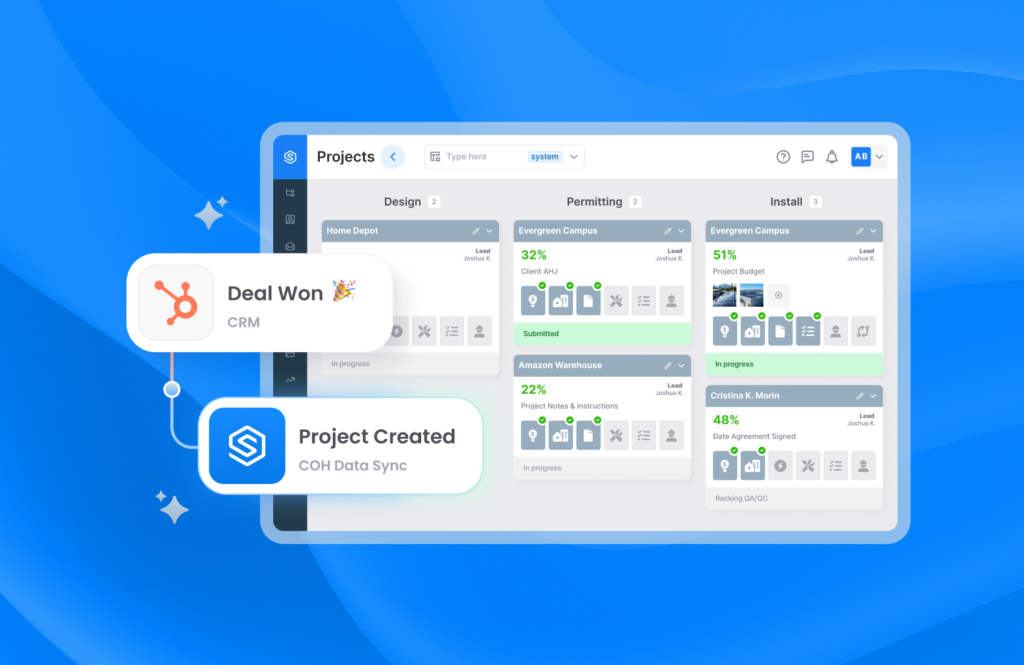
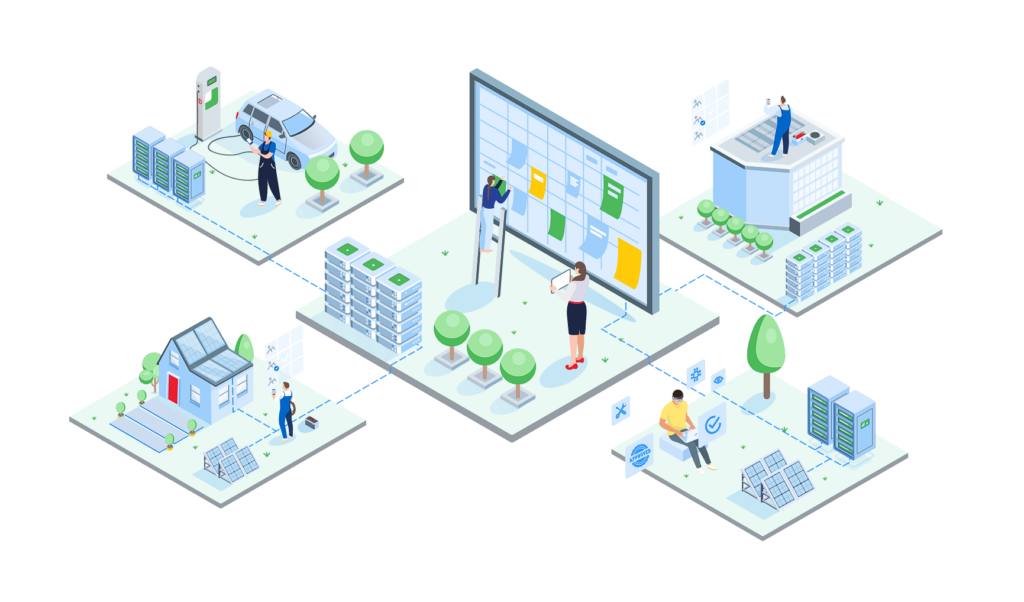
Scoop is a Central Operations Hub built for execution, not just tracking, connecting CRM, CMMS, monitoring, design tools, field teams, subcontractors and service workflows into one structured operational layer. Distinct from traditional project management tools that track tasks in isolation, Scoop activates and orchestrates existing systems instead of forcing a rip-and-replace migration, giving teams seamless control across the complete job lifecycle.
Most field service management software platforms stop at serving as the system of record, leaving a gap between what gets tracked and the work that actually needs to happen across the field and office. Scoop fills that gap with a digital web and mobile workflow engine that captures field updates, photos, checklists, and approvals inside the system. This improves productivity and speeds up field service work by eliminating the manual reconciliation across CRM, asset management, scheduling, and accounting tools.
That orchestration is not a claim about middleware in the abstract: Scoop maintains published two-way connections to Salesforce, HubSpot, NetSuite, QuickBooks, Zoho and ServiceTitan, with the full list on the integrations directory.
What it does best
- Workflow orchestration: Scheduling, back office coordination, field execution, and billing connected in a single operational flow that moves jobs from dispatch through completion without manual tracking gaps.
- Stage-gated workflows: Formal rules and adaptive intelligence ensure each step only proceeds when essential documentation is captured, proper reviews are carried out and compliance is established, all tied to service and equipment type.
- Field mobile app: Offline-capable mobile tools that let field teams capture data, photos, and checklist completions from any job site. The field mobile app works where cell coverage does not.
- Automated handoffs: Rule-based task assignments and status triggers that manage handoffs between stakeholders without manual follow-up.
- Customer communication: Built-in client updates and notifications that keep customers informed at every stage.
- Turnkey integrations: Fully managed, customized and hosted connections with CRM, ERP, asset management, and accounting platforms, consolidating operational and field reporting software data into one shared source of truth.
- Real-time dashboards: Centralized reporting that surfaces blockers, tracks job progress, and gives leadership visibility across the entire operation.
- Standardized templates: Proven industry process templates that lock in best practices across teams and locations. Preventive maintenance rounds run from the same engine, including the commercial solar preventative maintenance app.
- Dedicated success team: Every account gets a dedicated support team plus a fractional team that helps build and maintain the workflows, rather than a ticket queue and a knowledge base.
Pricing
Unlimited users, storage and devices on every plan.
Best for
Scoop is built for four groups: high-volume residential installers, commercial installers running repeatable multi-site work, O&M providers with recurring service contracts, and renewable energy companies managing partner-led project delivery. Field service businesses scaling beyond spreadsheets and basic service software tools fit here, including solar installers, renewable energy operations and maintenance teams, and construction companies.
Scoop works best for companies running high-volume, complex workflows with handoffs across sales, design, permitting, installation, service, and billing, where coordination gaps create delays, rework, and lost revenue. As companies grow and workforce coordination spans more crews and service lines, Scoop gives operations leaders a repeatable system that scales without adding admin, turning execution consistency into long-term success.
For O&M and recurring service work specifically, Scoop runs recurring work orders and preventive maintenance schedules on their own cadence, holds warranty and SLA evidence against the asset rather than the job, and keeps the full asset history in one place from commissioning onward. The dispatcher to technician to client-report handoff runs end to end, so the report a client receives at the end of a contract period is generated from the work that was actually captured on site. That is the difference between solar O&M that renews and O&M that gets re-tendered. Teams running the same model across other asset classes use the same engine through operations and maintenance.
Scoop limitations
- Scoop does not design PV systems, run shading simulations or produce stamped plan sets. That work stays in your design tool, and Scoop connects to them.
- Scoop is built for operations teams ready to configure the platform around how they actually run field work. That configuration takes real time from someone on the team. Companies with a dedicated owner for that setup, and the budget to see it through, get value starting on day one.
- Scoop delivers the most value where there is a repeatable process to standardize. The more your projects follow a recognizable shape, the faster the workflow automation compounds.
Verdict
We rank Scoop first because it is the only platform on this list built to make the work happen correctly rather than to record that it happened. If your jobs pass through more than two teams and more than two systems, and if new installs and recurring service both have to run from the same place, this is the operational layer to build on. Pacific Power Solutions scaled 15x while building a leading O&M business on it, Sunlight Solar reached 500% operational growth, and ENGIE Services saved $179,000. Those are customer-reported figures from published case studies, not independent benchmarks. See the field service management platform in full.
2. ServiceNow Field Service Management
Best for: Large enterprises with existing ServiceNow ITSM or CSM deployments managing complex SLAs, multi-tier contractor networks, and regulated industries that require structured audit trails.
ServiceNow extends its IT service management platform into field operations, offering enterprise-grade FSM built on the Now Platform. The system routes complex service requests through structured approval and execution workflows, with advanced AI-powered scheduling that factors in technician skills, location, and parts availability.
ServiceNow’s strength is its ITSM foundation. Field service becomes an extension of the same incident, problem, and change management processes the IT team already runs, which means companies with existing Now Platform deployments can add FSM without introducing a disconnected tool or retraining dispatchers.
What it does best
- Asset lifecycle management: End-to-end tracking of equipment from installation through decommission, tied directly to service history and work orders.
- Contractor workforce management: Tools for onboarding, credentialing, and managing third-party field teams alongside internal technicians.
- Knowledge base: Searchable articles and troubleshooting guides available to field technicians in real-time through the mobile agent.
- Predictive intelligence: Analytics that surface patterns in service data to flag recurring issues before they escalate.
- Mobile agent: Offline-capable mobile app that gives field teams access to work orders, asset records, and knowledge articles from any location.
Pricing
Not publicly listed. ServiceNow offers custom quotes only, and states that a quote covers an evaluation of company needs, scalable packages by growth stage, and pricing tailored to requirements. No tiers or figures appear on the pricing page.
Best for
Large enterprises with existing ServiceNow ITSM or CSM deployments, particularly companies managing complex SLA requirements across multi-tier contractor networks. Regulated industries that require audit trails and structured approval workflows get the most value from ServiceNow’s operations platform, where field service runs on the same system as IT and customer service.
ServiceNow limitations
- The economics only work if the Now Platform is already paid for. Buying ServiceNow to get field service management is the most expensive route on this list.
- The field experience is built for a technician resolving an incident, not for a crew moving a construction or install job through stages.
- No published pricing, so you cannot benchmark it against an alternative without going through sales.
Verdict
We rank ServiceNow second for enterprises that already run it, and outside the top ten for everyone else. If your IT and customer service teams live on the Now Platform, extending it to field service keeps one data model and one audit trail. If they do not, the platform cost buys you capability you will not use.
3. Microsoft Dynamics 365 Field Service
Best for: Mid-to-large organizations invested in the Microsoft ecosystem (Teams, Power Platform, Azure IoT).
Dynamics 365 Field Service combines AI-driven scheduling with IoT integration and mixed reality support inside the broader Microsoft ecosystem. The platform connects field operations to CRM, ERP, and Azure IoT data through a shared system that spans the full service lifecycle. Advanced resource scheduling optimization factors in technician skills, travel time, and parts availability to manage dispatch decisions in real-time.
Microsoft’s advantage is ecosystem depth. Teams already running Dynamics 365 Sales, Power Platform, or Azure IoT can extend into field service without introducing a separate tool or duplicating customer data across systems.
What it does best
- Resource Scheduling Optimization (RSO): Advanced AI that balances technician skills, geography, and priority to dispatch the right person to every job.
- IoT alert integration: Real-time device telemetry triggers work orders automatically when equipment crosses predefined thresholds, shifting teams from reactive to predictive maintenance.
- Remote Assist: Mixed reality tools that connect field technicians to remote experts for live visual guidance during complex repairs.
- Customer self-service portal: Online scheduling and status tracking that lets customers book appointments and follow job progress without calling the office.
- Copilot AI: Generative AI assistance that helps technicians access service history, troubleshoot issues, and manage documentation from the mobile app.
- Power Platform extensibility: Low-code customization through Power Apps, Power Automate, and Power BI for teams that need tailored workflows and communication dashboards beyond the standard configuration.
Pricing
Field Service is $105.00 per user per month, paid yearly. Field Service Contractor is $50.00 per user per month, paid yearly. Resource Scheduling Optimization is $30.00 per resource per month, paid yearly. Copilot Credits are sold separately, either pre-purchased or pay-as-you-go, with no per-unit price published. A free trial is available.
Best for
Mid-to-large organizations invested in the Microsoft ecosystem, particularly companies that manage field operations through Teams, Power Platform, or Azure IoT. The strongest fit is for operations teams handling complex service environments that need deep CRM-to-field integration with AI-assisted scheduling and remote expert support.
Microsoft Dynamics 365 Field Service limitations
- The published $105 per user per month is the license, not the cost. Resource Scheduling Optimization is a separate $30 per resource, and Copilot Credits are metered on top with no published rate.
- Most teams need a Microsoft partner to configure it, which adds an implementation cost that never appears on the pricing page.
- The value case collapses outside the Microsoft stack. On its own, it is a heavier and more expensive route to the same dispatch outcome.
- Field execution is scheduling-led rather than procedure-led: it is very good at deciding who goes, and thinner on enforcing what happens once they arrive.
Verdict
We rank Dynamics 365 Field Service third, and it is the strongest of the enterprise suite options on published transparency, because Microsoft is one of the few vendors here that actually prints a price. Choose it if Teams, Power Platform or Azure IoT are already load-bearing in your business. If they are not, you are buying an ecosystem to get a dispatch board.
4. SAP Field Service and Asset Management (formerly SAP Field Service Management)
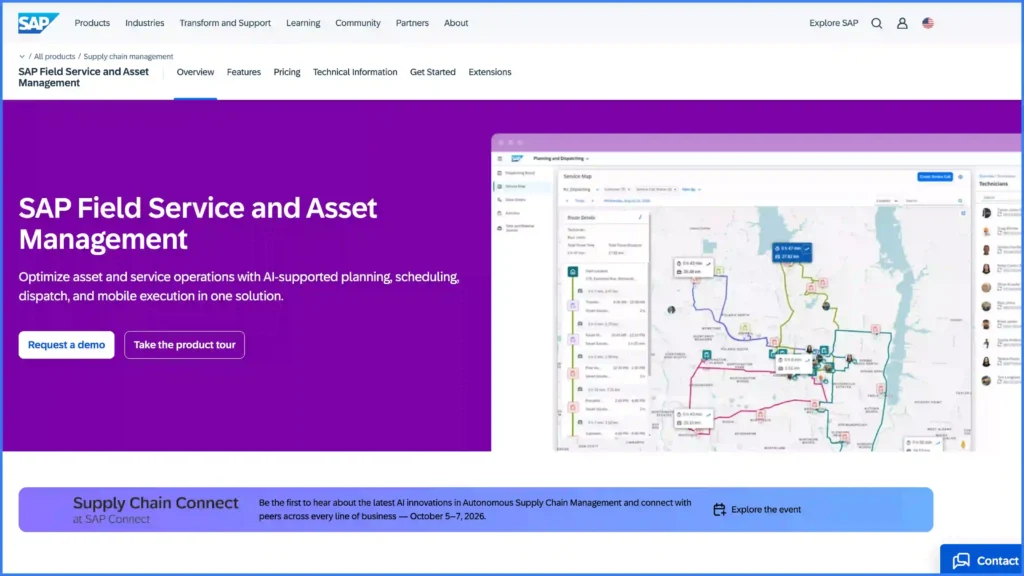
Best for: Large global enterprises running SAP ERP in manufacturing, utilities, and industrial equipment that need field operations data flowing directly into financial and supply chain systems.
SAP renamed the product to Field Service and Asset Management, merging field service and asset management into a single scope. Both names are still in circulation, and the older one is still what most buyers search for.
SAP Field Service and Asset Management connects field execution directly to ERP-level financial, procurement, supply chain, and compliance workflows through tight integration with SAP S/4HANA.
The platform lets operations teams manage a complete data loop between field activity and back-office systems: technicians capture information on-site, and that data flows into billing, inventory, and financial reporting without the manual reconciliation or integration overhead that standalone FSM tools require. Advanced scheduling and route optimization assign the right technician to each job based on skills, location, and parts availability.
What it does best
- Crowd service: Workforce management tools for gig workers and third-party contractors, with credentialing, availability tracking, and performance scoring built into the dispatch workflow.
- Intelligent scheduling: AI-driven route optimization that factors in technician skills, travel distance, and SLA deadlines to manage daily job assignments.
- Offline mobile app: Field-ready forms, checklists, and service reports that sync automatically when connectivity returns.
- Parts logistics: Inventory visibility and parts ordering tied directly to work orders, so technicians can confirm availability before arriving on-site.
- ERP-connected billing: Invoicing triggered by completed work orders, with labor, materials, and travel costs flowing directly into SAP financials.
- Knowledge management: Guided troubleshooting workflows and technical documentation that help technicians resolve issues on the first visit.
Pricing
Not publicly listed. SAP maintains a pricing URL for the product but it did not return figures on verification, and the SAP Store listing shows no price.
Best for
Large global enterprises running SAP ERP, particularly companies in manufacturing, utilities, and industrial equipment that need field operations data flowing directly into financial and supply chain systems. Organizations managing complex compliance requirements across multiple regions benefit from SAP’s native ERP integration, where field activity and back-office reporting share one system of record.
SAP limitations
- Implementation timelines are the longest on this list, and the internal skills required to maintain it are specialized and expensive to hire.
- No published pricing at all, which makes an apples-to-apples budget comparison impossible before you enter a sales cycle.
- The product renaming means much of the documentation and third-party commentary you will find still refers to the previous scope.
Verdict
We rank SAP fourth on the strength of one specific outcome: field data landing in financials without a reconciliation step. That is a real and rare capability. It is also the narrowest justification on this page, because it is worth the implementation only if S/4HANA is already your system of record.
5. IFS Cloud
Best for: Asset-intensive industries (utilities, energy, telecom, manufacturing) with large distributed field teams that need unified field service, enterprise asset management, and ERP on one platform.
IFS took on new minority investors in April 2025 at a stated valuation of 15 billion euros, and acquired the agentic AI platform TheLoops in mid-2025 to build out what it calls an industrial AI workforce. Both moves point the roadmap further toward automated dispatch and diagnostics.
IFS Cloud pairs industrial AI with unified enterprise asset management and ERP to orchestrate field service across asset-intensive operations. The platform delivers a complete system for managing complex work orders, contracts, SLAs, and regulatory compliance across large distributed teams. Advanced scheduling optimization assigns technicians based on skills, certifications, parts availability, and real-time job priority, keeping SLA windows on track even as job volume scales.
What it does best
- Industrial AI scheduling: Advanced optimization that balances technician skills, certifications, travel time, and SLA deadlines to dispatch the highest-priority jobs first.
- Enterprise asset management: Deep EAM integration that ties every work order, inspection, and maintenance cycle to the asset record, giving teams full lifecycle tracking from commissioning through decommission.
- SLA and contract compliance: Automated tools for monitoring contract terms, SLA thresholds, and penalty clauses, with alerts that flag at-risk commitments before deadlines pass.
- Contractor workforce management: Credentialing, scheduling, and performance tracking for third-party field teams alongside internal technicians.
- Mobile app: Full-featured online and offline mobile experience that lets technicians manage work orders, capture data, and access asset history from any location.
- Regulatory compliance: Built-in tracking for industry-specific regulations, safety certifications, and audit documentation.
Pricing
Not publicly listed. The IFS Cloud product page carries no tiers, brackets or figures, and routes buyers to a demo or a contact form. Third-party per-user estimates circulate widely but none of them are vendor-published.
Best for
Companies in asset-intensive industries where equipment uptime drives revenue: utilities, energy, telecom, and manufacturing. IFS Cloud fits large distributed field teams that manage complex scheduling requirements, strict SLA obligations, and regulatory compliance across heavy equipment and infrastructure. Operations leaders who need field service, asset management, and ERP on one platform get the deepest native integration from IFS.
IFS Cloud limitations
- Sized for large distributed field organizations. A 40-person installer or a regional O&M provider will pay for scale it does not need.
- The EAM depth that makes it strong on maintained assets makes it awkward on project work that ends at commissioning.
- No published pricing, and the sales cycle assumes an enterprise procurement process.
- Implementation and configuration require specialist partners in most regions.
Verdict
We rank IFS Cloud fifth and consider it the best pure asset-and-SLA platform on this page. If your revenue depends on uptime across a large installed base and you have the scale to absorb an enterprise implementation, it is a serious contender. Below that scale, an operations layer that connects to your existing systems will get you there faster and cheaper.
6. BuildOps
Best for: Mid-sized to large commercial and industrial contractors in HVAC, plumbing, electrical, and fire protection that need both service dispatch and project management in one system.
BuildOps raised a $127M Series C in March 2025 at a stated $1 billion valuation, which has funded a fast product cadence aimed squarely at commercial contractors.
Commercial contractors in HVAC, plumbing, electrical, and fire protection get a purpose-built FSM platform in BuildOps, combining CRM, dispatching, project management, and invoicing into one system.
The platform is designed around the workflows commercial service companies run daily, from dispatch through billing, with tools that handle both reactive service calls and scheduled project work. Job cost tracking breaks down labor, materials, and overhead at the project level, giving owners and managers visibility into profitability across every active job.
What it does best
- Commercial dispatch board: Drag-and-drop scheduling with real-time technician availability, job status tracking, and priority-based assignment for service calls and project work.
- Job status tracking: Live updates from the field that give dispatch and management teams visibility into every active job without phone calls or manual check-ins.
- Quoting and proposals: Integrated tools for generating quotes, proposals, and change orders directly from the job record, keeping the sales-to-service pipeline in one system.
- Service agreement management: Contract tracking, renewal alerts, and planned maintenance scheduling that help teams manage recurring commercial accounts.
- Project cost tracking: Labor, material, and overhead breakdowns at the project level with real-time budget-to-actual comparisons for billing accuracy.
- Customer portal: Self-service communication channel where commercial clients submit service requests, track job progress, and access invoices.
Pricing
Not publicly listed. BuildOps states that pricing is built around headcount, the trades you run and the back-office tools you depend on, and that implementation and onboarding support are included with every plan. That last point is worth weighing, because it is a real cost most vendors bill separately.
Best for
Commercial and industrial contractors in HVAC, plumbing, electrical, and fire protection that need both service dispatch and project management in one system. Mid-sized to large trade companies focused on commercial accounts get the most value from BuildOps, particularly operations teams that manage a mix of reactive service calls and planned project work.
BuildOps limitations
- Built for the commercial mechanical and electrical trades. Renewable energy, solar O&M and telecom work sit outside its native models.
- Service agreements are strong, but asset-level history across a large installed base is thinner than a dedicated EAM.
- Integration coverage is oriented to construction and accounting tools rather than energy monitoring or design platforms.
Verdict
We rank BuildOps sixth in general, and first among the commercial trade specialists. If you run commercial HVAC, plumbing, electrical or fire protection and your work is a genuine mix of reactive calls and planned projects, it is the most purpose-built option here. Including implementation with every plan is a meaningful signal about how the company expects buyers to succeed.
7. Zoho FSM
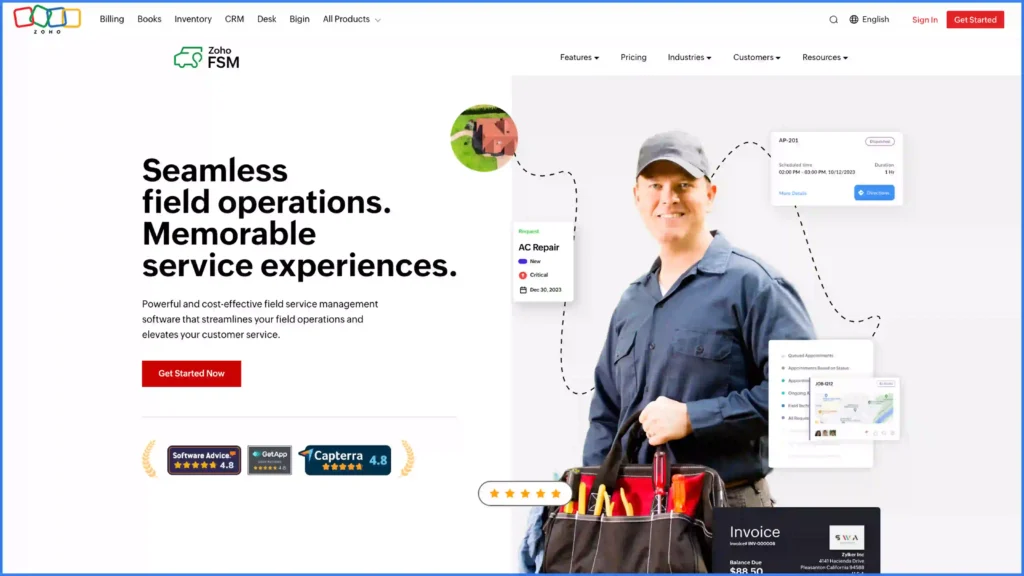
Best for: Small-to-mid-sized, budget-conscious service businesses already using Zoho products that need capable FSM without enterprise pricing or implementation complexity.
For teams already invested in the Zoho ecosystem, Zoho FSM adds affordable field service management to CRM, Books, Desk, and Inventory without introducing a separate platform.
The software lets teams manage scheduling, dispatch, and work orders through customizable workflows and processes that match how small-to-mid-sized service businesses actually operate. Structured dispatch and job tracking tools replace the spreadsheets and phone calls that slow down growing field teams.
What it does best
- Dispatch board: Drag-and-drop scheduling that lets dispatchers manage daily job assignments and reassign technicians as priorities shift.
- Work order management: Custom workflows and processes that move jobs through creation, assignment, execution, and closure with configurable status gates.
- Zoho ecosystem integration: Native connections to Zoho CRM, Books, Desk, and Inventory that sync customer data, invoicing, and support tickets across tools without third-party middleware.
- Service forms and checklists: Customizable digital forms that technicians complete on-site to capture job data, photos, and sign-offs.
- Mobile app: Field-ready mobile experience for technicians to receive assignments, update job status, and log time from any location.
- Reporting and analytics: Dashboards that track job volume, technician utilization, response times, and revenue across service categories.
Pricing
There is a free tier. Standard is $30.00 billed monthly or $300.00 billed annually. Professional is $45.00 monthly or $420.00 annually. Premium is $55.00 monthly or $480.00 annually.
Read the model carefully, because it is not per seat. Zoho FSM is priced at the organization level and scales with appointment volume. The free tier allows up to 20 users and 30 appointments per month. Standard and Professional allow up to 200 users, Premium up to 500, and all paid tiers include 60 appointments and 60 invoices per month, with each additional set of 50 invoices costing $5.00. Higher appointment volumes are priced through a slider on the pricing page.
Best for
Small-to-mid-sized service companies already using Zoho products that need capable FSM without enterprise pricing or implementation complexity. Budget-conscious operations teams that need to manage dispatch, work order tracking, and field crew coordination get the fastest time-to-value from Zoho FSM’s native ecosystem integration.
Zoho FSM limitations
- The 60-appointments-per-month allowance on paid tiers is the real constraint. A team running three jobs a day passes it in the first month, and the headline price stops being the price.
- The value is concentrated in the Zoho ecosystem. Outside it, the integration argument that makes it attractive largely disappears.
- Field execution is form-based rather than stage-gated: it records what a technician entered, and does much less to enforce what they had to do first.
- An older Zoho knowledge base page still describes a superseded per-profile pricing model, so verify tiers against the current page before budgeting.
Verdict
We rank Zoho FSM seventh, and it is the cheapest genuine entry point on this list if you are already using Zoho products. Price it on your real appointment volume rather than the headline tier, because that is where the model bites. It is a first structured system for a team leaving spreadsheets, not a platform to scale a multi-crew operation on. Scoop connects to Zoho for teams that want to keep the back office and move execution somewhere with more control.
8. Simpro
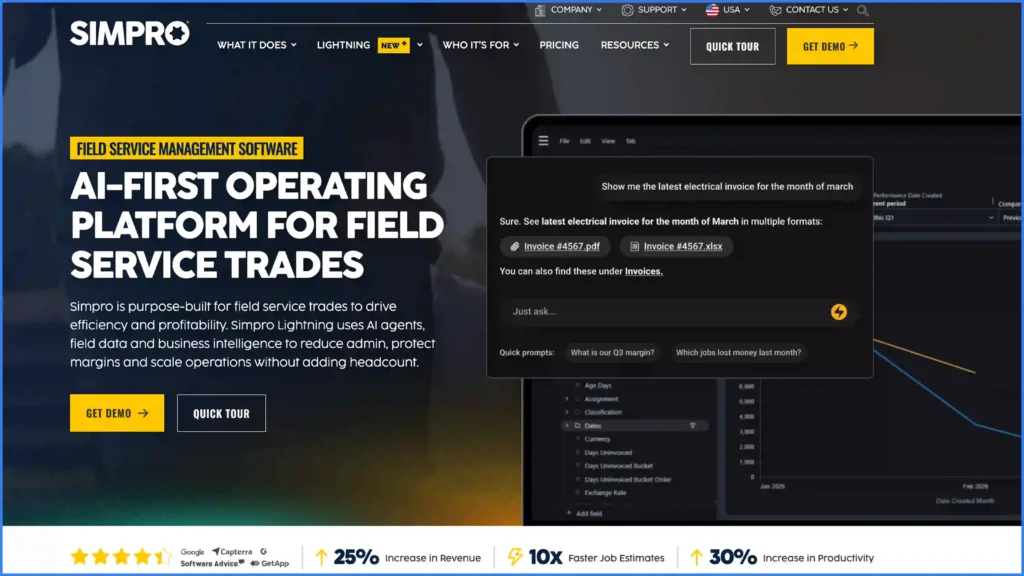
Best for: Trade businesses (electrical, plumbing, HVAC, security) and mid-sized field service companies focused on job-level cost tracking, profitability analysis, and structured quoting workflows.
Simpro acquired the AI customer engagement platform Delight in January 2026 and has been positioning itself as an AI-first operating platform for the trades since.
Simpro covers the full job lifecycle from quoting through scheduling, execution, and invoicing, with a strong focus on project costing and profitability tracking. The platform gives trade and field service businesses complete visibility into where money enters and exits every job, breaking down labor, materials, subcontractors, and overhead at the project level. Operations teams that manage a high volume of billable jobs use Simpro to spot margin leaks before they compound.
What it does best
- Job costing and profitability: End-to-end tracking that breaks down labor, materials, and overhead at the project level, with real-time budget-to-actual comparisons that flag jobs running over cost.
- Multi-stage quoting: Approval workflows that let teams build detailed proposals, apply markups, and convert quotes into scheduled jobs, keeping the sales-to-dispatch pipeline in one system.
- Asset management: Maintenance scheduling and asset tracking tied to customer sites, with automated reminders for planned service intervals.
- Inventory management: Purchase orders, stock tracking, and tools that help teams manage parts availability and connect warehouse data to active work orders.
- Automated invoicing: Billing triggered by job completion, with labor rates, material costs, and markups calculated automatically for faster payment collection.
- BI reporting: Custom dashboards and data exports that surface profitability trends, technician performance, and job pipeline health across the business.
Pricing
Not publicly listed. The pricing page shows a single tier labeled “Base Plan” that includes three data feeds, with add-ons available and a “Request Pricing” call to action. No figures are published for the base plan or the add-ons.
Best for
Trade businesses in electrical, plumbing, HVAC, and security, along with mid-sized field service companies focused on profitability analysis and job-level cost tracking. Organizations looking to grow beyond spreadsheets and basic accounting into structured job management get the strongest fit from Simpro, particularly operations teams that manage a high volume of quoted and billable project work.
Simpro limitations
- The product is strongest where money is counted and thinner where work is controlled. Job costing depth outruns its field execution enforcement.
- No published pricing, and add-ons are quoted separately, so the total is hard to model in advance.
- The interface carries the weight of its feature set, and new technicians take longer to become productive than on the lighter mobile-first tools.
- Built around trade contracting rather than renewable energy project delivery or O&M contract reporting.
Verdict
We rank Simpro eighth. If you know your revenue and cannot explain your margin, Simpro is the platform on this list most likely to tell you where it went. Just be clear that you are buying financial visibility into field work, not a mechanism to change how that field work is performed.
9. ServiceTitan
Best for: Growth-focused residential and commercial home service companies in HVAC, plumbing, electrical, and garage door that want to tie marketing spend directly to revenue and grow membership-based recurring revenue.
ServiceTitan acquired Conduit Tech, an HVAC design and load-calculation company, in September 2025, extending the platform further into the technical side of residential HVAC.
ServiceTitan dominates the residential and commercial home service trades, combining dispatch, pricebook management, marketing attribution, and membership program tools into a platform built to grow revenue while managing field operations.
The system ties marketing spend directly to booked jobs through call tracking and campaign attribution, giving owners a clear view of which channels drive revenue and which waste budget. Flat-rate pricebook management standardizes how technicians present options on-site, removing guesswork from the billing process.
What it does best
- Pricebook management: Flat-rate pricing with good-better-best presentation tools that standardize how technicians quote options on-site, removing guesswork and improving average ticket value.
- Marketing scorecard: Campaign tracking and ROI attribution that tie every booked job back to the marketing channel that generated it, giving owners real data on ad spend performance.
- Call booking engine: Inbound call management with CSR scripting, call recording, and automated dispatch that books jobs directly from customer communication.
- Membership programs: Recurring maintenance agreement management with automated billing, renewal reminders, and member-exclusive pricing that drives long-term customer retention.
- Mobile dispatch: Technician-facing mobile app with job details, customer history, performance tracking, and real-time status updates that keep the office informed without manual check-ins.
- Integrated payments: On-site payment collection, financing options, and automated invoicing that close the billing loop before the technician leaves the job.
Pricing
Not publicly stated. ServiceTitan publishes three named plans, Starter, Essentials and The Works, each with a feature list and a “Request Pricing” button, and describes the model as per-technician pricing scaled to the business. No figures, onboarding fee or contract term are published.
Best for
Residential and commercial home service companies in HVAC, plumbing, electrical, and garage door that want to tie marketing spend directly to revenue. Growth-focused businesses that need to manage customer lifetime value, track technician performance, and scale operations without losing visibility into profitability find the strongest fit with ServiceTitan, particularly when long-term success depends on membership retention and repeat service revenue.
ServiceTitan limitations
- Built for the home service trades. Multi-stage renewable energy projects with design, permitting and interconnection steps do not map onto its job model.
- Named tiers without published prices, and a per-technician model, mean cost scales directly with headcount growth.
- The revenue tooling is the product. Teams that need execution control more than they need attribution end up paying for the half they will not use.
- It is a system your whole company has to move onto, which makes it a heavy commitment for an operations problem that sits in one part of the business.
Verdict
We rank ServiceTitan ninth overall and first for residential home service specifically, because nothing else on this list ties marketing spend to booked revenue as tightly. For renewable energy and multi-stage project work it is the wrong shape, and teams that want to keep it for the trades side while running project execution elsewhere can connect the two through the ServiceTitan integration.
10. Salesforce Field Service (Agentforce Field Service)
Best for: Mid-to-large organizations already running Salesforce CRM that need tight service-to-sales alignment, deep customization, and enterprise-grade reporting across field operations.
Salesforce has rebranded the product to Agentforce Field Service and added an Agentforce 1 Field Service edition. Both names refer to the same product line, and Salesforce Field Service remains the term most buyers search for.
Salesforce Field Service extends Service Cloud with enterprise-grade FSM, using the Salesforce ecosystem for deep CRM integration, AI-powered scheduling, and extensive customization through the Lightning Platform and AppExchange.
The platform gives operations teams access to the full Salesforce data model: customer records, service history, contracts, and entitlements all live in one system alongside dispatch, work order management, and field execution tools. Agentforce AI handles automated workflow triggers, and Einstein scheduling optimizes technician assignment based on skills, location, and job priority.
What it does best
- Visual dispatch console: Drag-and-drop scheduling with map-based technician tracking and real-time availability updates that help dispatchers manage daily job assignments.
- Agentforce automation: AI-driven tools that automate field service workflows, from work order creation to technician assignment and customer notifications.
- Asset lifecycle management: End-to-end tracking of customer equipment from installation through warranty, service history, and replacement.
- Guided flows: Step-by-step execution guides that standardize how technicians complete complex jobs, reducing errors and onboarding time for new hires.
- Customer self-service portal: Online scheduling, job status tracking, and advanced case management that let customers interact with the service team without phone calls.
- AppExchange ecosystem: Hundreds of FSM-specific add-ons and integrations that extend dispatch, reporting, and field execution capabilities beyond the standard configuration.
Pricing
Dispatcher is $175 per user per month and Technician is $175 per user per month. Contractor Plus is $80 per user per month or $32 per login. Field Service Plus is $230 per user per month. Agentforce 1 Field Service is $650 per user per month. All editions are billed annually.
The published figure is not the entry cost. Field Service requires at least one Service Cloud user license, and existing Service Cloud customers still need at least one Dispatcher license, so budget the prerequisite alongside the seats.
Best for
Mid-to-large organizations already running Salesforce CRM that need tight alignment across sales, service, and marketing teams plus enterprise-grade reporting across field operations. Companies managing complex service environments with high customization requirements get the most value from Salesforce Field Service, particularly when the business needs a single platform for CRM, customer service, and field execution.
Salesforce Field Service limitations
- At $175 per seat plus a required Service Cloud license, it is the most expensive published per-user price on this page, and the true floor is higher than the sticker.
- Customization is the feature and the cost. Real deployments involve an implementation partner and an ongoing administrator.
- The data model is customer-and-case shaped, which suits recurring service and fits project delivery less naturally.
- Field execution depends heavily on how well guided flows were configured, which puts the quality of the outcome on your implementation rather than on the product.
Verdict
We rank Salesforce Field Service tenth, and first among options for companies that have already made Salesforce their system of record. The service-to-sales alignment is genuinely hard to replicate elsewhere. Teams that want to keep Salesforce as the CRM while running field execution on a purpose-built layer can do both through Scoop’s Salesforce integration.
11. Jobber
Best for: Small residential home service teams of one to ten technicians who need quoting, scheduling and invoicing working properly by the end of the week.
Jobber is the fastest route from a whiteboard and a phone to a working system. Quoting, scheduling, invoicing and payments are covered in one place, the mobile app is genuinely easy for a new technician to pick up, and the client hub gives homeowners a self-service view of their appointments and invoices without any configuration work from you.
The platform is built around a single-visit job: a customer calls, you quote, you schedule, you complete, you invoice. Working inside that simple flow is the reason Jobber is the default recommendation for small home service teams.
What it does best
- Quoting and follow-up: Templated quotes with optional line items, automatic follow-up reminders, and one-click conversion into a scheduled job.
- Scheduling and routing: Drag-and-drop calendar with route optimization and technician GPS tracking on the higher tiers.
- Client hub: A self-service portal where customers approve quotes, check appointment times, and pay invoices without calling the office.
- Automated invoicing and payments: Invoices generated on job completion, with card and bank payment collection and automatic reminders on overdue balances.
- Mobile app: A technician app that is simple enough to onboard a new hire in an afternoon.
Pricing
Core starts at $49 per month, Connect at $139, Grow at $199 and Plus at $499, billed monthly. Additional users are $29 per month each on every plan. Add-ons are priced separately: the Marketing Suite is $99 per month, the AI Receptionist is $29 per month, and Pipeline is $49 per month. Jobber runs promotional rates for new customers on longer commitments, so confirm what the price reverts to.
Best for
Residential home service businesses with one to ten technicians in landscaping, cleaning, plumbing, electrical and general contracting, especially owner-operators who need the whole quote-to-cash loop working immediately with no implementation project.
Jobber limitations
- The job model is a single visit. Work that runs through design, permitting, install and inspection over several weeks does not fit it.
- Subcontractor coordination and multi-crew handoffs are not what the platform is built to manage.
- Field execution is a checklist, not a gate. Nothing stops a job being closed without the evidence a warranty claim would need later.
- Add-ons and the $29 per additional user accumulate, so the effective cost at ten technicians is well above the headline tier.
Verdict
We rank Jobber eleventh on this list and first for small residential teams, which is not a contradiction: the ranking is against multi-stage field execution, and Jobber is deliberately not competing there. If you are under ten technicians doing single-visit work, start here. When your jobs start spanning weeks, teams and systems, that is the signal to move up rather than a failure of the tool.
12. Housecall Pro
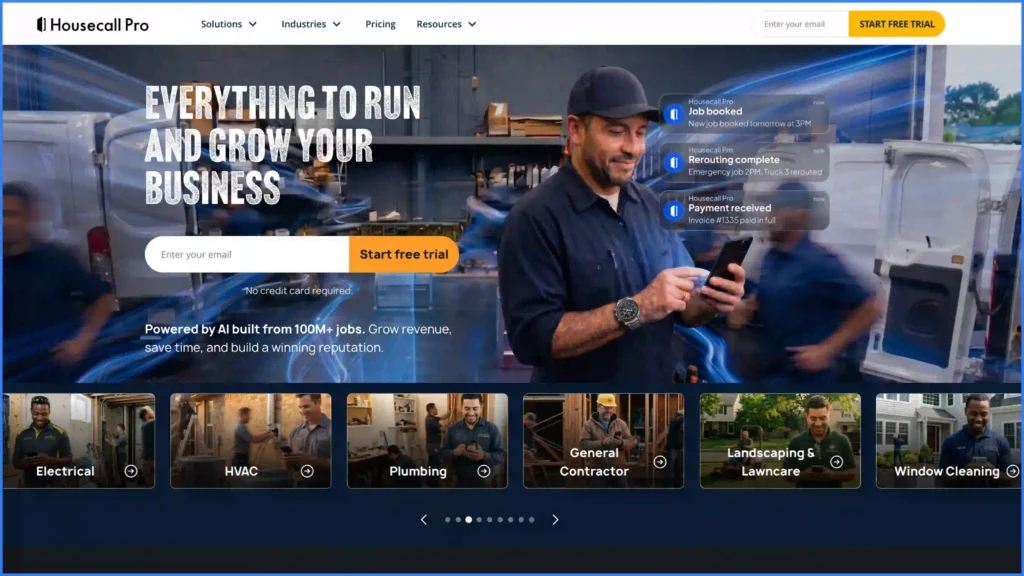
Best for: Residential contractors who need mobile-first dispatch, online booking and automated customer communication without a long implementation.
Housecall Pro sits a step up from Jobber on customer communication and a step behind ServiceTitan on revenue tooling. Automated text reminders, online booking, review requests and integrated payments are the core, and they are strong enough that many residential contractors buy it specifically to stop losing appointments to no-shows and unanswered calls.
The company has shipped successive AI-focused releases through 2025 and 2026, mostly aimed at call handling and scheduling automation.
What it does best
- Mobile-first dispatch: A dispatch board and technician app designed to be run from a phone rather than a desk.
- Online booking: Customer-facing booking that puts appointments straight onto the schedule.
- Automated customer communication: Text reminders, on-the-way notifications and post-job review requests sent without office involvement.
- Integrated payments: On-site card and bank payment collection with automated invoicing and follow-up.
- Onboarding support: A dedicated onboarding specialist is included on the top tier at no separately stated fee.
Pricing
Basic is $59 per month billed annually or $79 billed monthly, for one user. Essentials is $149 annually or $189 monthly for five users, with additional users at $100 per month each. Max is $299 annually or $329 monthly for eight users, with additional users at $75 per month each. There is no long-term contract, a 14-day free trial requires no credit card, and card processing runs from 2.59% with bank payments at 1%. The additional-user rate on Basic is not published.
Best for
Residential contractors in HVAC, plumbing, electrical, cleaning and appliance repair who want customer communication and online booking handled automatically, and who value getting live in days rather than months.
Housecall Pro limitations
- Per-seat costs climb quickly above the included user counts, at $100 per additional user on Essentials and $75 on Max.
- Residential by design. Commercial service agreements, multi-site work and O&M contract reporting are not its territory.
- Job costing and margin analysis are thin compared with Simpro or BuildOps.
- Like Jobber, execution is recorded rather than enforced, so evidence quality depends on technician discipline.
Verdict
We rank Housecall Pro twelfth overall and among the top two for residential home service. If your losses are coming from missed calls, no-shows and slow invoicing rather than from botched work in the field, this is the most direct fix on the list. Price it at your actual headcount, not at the tier.
13. ServiceMax (PTC)
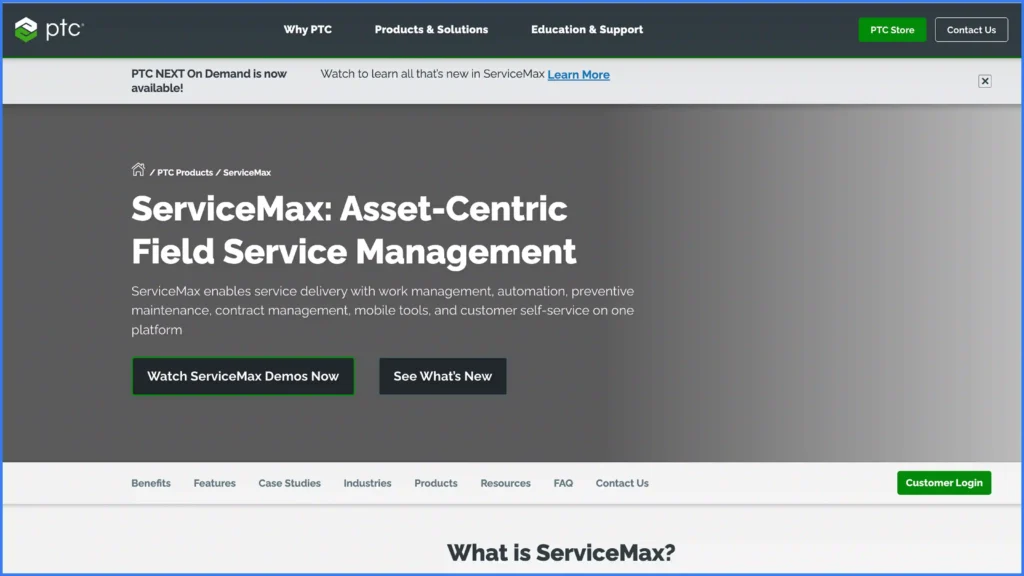
Best for: Asset-centric manufacturers, equipment OEMs and service organizations whose business is the installed base rather than a project pipeline.
ServiceMax, part of PTC, is built around the installed base: the machine, its entitlements, its warranty position, its parts and its full service history. Where most platforms model a job and attach an asset to it, ServiceMax models the asset and attaches jobs to it, which is the right way round when equipment uptime is what you sell.
PTC shipped new agentic AI capabilities for ServiceMax in September 2025, including multi-agent orchestration and a service flow manager. Autodesk explored acquiring PTC in mid-2025 and did not proceed, so ownership is unchanged.
What it does best
- Installed base management: A complete equipment record with configuration, location, service history and performance, held as the primary object.
- Entitlements and warranty: Automatic checks on what a customer is covered for before work is scheduled, which protects margin on warranty claims.
- Depot repair and parts: Return, repair and service parts management connected to the same asset record.
- Technician mobile: Offline-capable mobile with guided procedures and full asset history at the point of work.
- Service analytics: Reporting oriented to uptime, mean time to repair and contract profitability rather than job throughput.
Pricing
Not publicly listed. PTC routes buyers to a contact form or phone line for pricing information, and publishes no plans or figures. Third-party per-user estimates exist but none are vendor-published.
Best for
Manufacturers and equipment OEMs servicing their own installed base, plus third-party service organizations managing complex equipment under warranty and entitlement rules. The clearest fit is where a machine, not a project, is the thing being managed.
ServiceMax limitations
- Asset-first by design, which makes it awkward for contractors whose work is a pipeline of projects that end at commissioning.
- No published pricing, and the sales process assumes enterprise procurement.
- Implementation depth is significant, and the value only appears once the installed base data is complete and accurate.
Verdict
We rank ServiceMax thirteenth on this list and first for pure asset-centric service. If your customers pay you for uptime on equipment you can enumerate, the installed-base model is the correct one and ServiceMax executes it as well as anything here. If your customers pay you to build and then maintain, you need a platform that handles both halves.
Also Evaluated
Five more platforms were reviewed and did not make the ranked list, and each is worth naming because each is the right answer to a narrow question.
Zuper and Service Fusion both offer capable dispatch with flexible user models and are frequently shortlisted by growing service companies.
FieldEdge and FIELDBOSS are strong residential HVAC and elevator or vertical-transport specialists respectively. Coast is a lightweight maintenance-first option for small teams.
None of them changed our top three for multi-stage field work, and we will revisit all five at the next refresh.
Which Field Service Management Software Should You Choose?
The answer depends on the shape of your work, not the size of your company. Here is how we would advise each segment.
- Solar and renewable energy installers running sales to design to install to service: choose Scoop. This is the case the platform was built for, and the one where a generic FSM tool leaves the most on the table. Start with solar project management software.
- O&M providers with recurring service contracts: choose Scoop. Recurring work orders, preventive maintenance schedules, SLA-ready audit trails, full asset history and a measurable reduction in truck rolls are the specific things a service contract is judged on at renewal. See solar O&M and the commercial solar preventative maintenance app. Pacific Power Solutions scaled 15x running exactly this model.
- Residential home service teams of one to ten technicians: choose Jobber. Single-visit work, quote to cash, live this week, no implementation project.
- Residential contractors losing jobs to missed calls and no-shows: choose Housecall Pro. Automated customer communication and online booking are the fix, and they are its strongest features.
- Residential home service scaling on membership revenue: choose ServiceTitan. Nothing else ties marketing spend to booked revenue as directly.
- Commercial multi-trade contractors mixing reactive calls with planned projects: choose BuildOps. Purpose-built for commercial HVAC, plumbing, electrical and fire protection, with implementation included.
- Trade businesses that cannot explain their margin: choose Simpro. Job-level costing is the sharpest on this list.
- Budget-conscious teams already inside Zoho: choose Zoho FSM. Price it on your real appointment volume, not the headline tier.
- Manufacturers and equipment OEMs servicing an installed base: choose ServiceMax or IFS Cloud. Asset-first data models, entitlements and warranty logic, built for uptime contracts.
- Companies already standardized on Salesforce, Microsoft, SAP or ServiceNow: choose that vendor’s field service module, and connect execution to it rather than duplicating the customer record. Scoop maintains published two-way connections to Salesforce, HubSpot and NetSuite for exactly this pattern.
How to Choose the Best Field Service Management Software
Choosing the right field service management software starts with matching the platform to your operational maturity, not chasing the longest feature list. Teams hit common field service management challenges (manual handoffs, scattered data, and workforce coordination gaps) that compound as crews scale beyond what basic tools can manage.
The better approach is to evaluate how each system helps you manage five operational priorities:
- Integration flexibility: does it connect your existing stack or force a rip-and-replace?
- Mobile capabilities: is it offline-first for field teams?
- Scheduling intelligence: is it AI-assisted or manual?
- Scalability: does it handle crew growth without added admin?
- Industry fit: is it built for your vertical or generalized?
The critical distinction between platforms is whether the tools connect your operations end-to-end or just track isolated processes.
What Features Matter Most in Field Service Management Software?
Scheduling and dispatch sit at the core of every FSM platform, but the gap between basic scheduling and intelligent dispatch determines how much value the system delivers.
The difference comes down to matching the right technician, with the right parts and skills, to the right job on the first visit, and that is a function of how well the scheduling tools use real-time data to make dispatch decisions. In our experience the platforms that move the number are not the ones with the cleverest optimizer, they are the ones that stop a job closing without the evidence that proves it was finished correctly. Field service scheduling and field execution are two different problems, and most buyers only solve the first one.
Beyond dispatch, evaluate five capabilities against where your current workflow breaks down:
- Mobile experience, where offline capability is non-negotiable for field teams
- How you manage work orders from creation through closure
- Integration capabilities with your existing CRM and ERP
- Reporting and analytics, including client-ready asset history and SLA evidence
- Customer communication
Modern FSM platforms that cover all five areas reduce the manual tracking and data re-entry that slow down field operations. Where AI genuinely changes the picture, and where it does not yet, we cover in our AI in field service article.
Stop Paying for Four Tools That Do Not Talk to Each Other
Most operations teams we meet are not missing a feature. They are paying for a CRM, a scheduling tool, a forms app and an accounting system, and paying again in the hours somebody spends every week moving data between them. The tools are fine. The gaps between them are where the margin goes.
The fastest way to see whether that describes you is to bring one of your own projects to a 20-minute discovery call. We will walk your actual handoffs, show you where the evidence gets lost, and be straight with you if a different platform on this list is the better fit. No credit card, no obligation, and we respond the same business day.
Frequently Asked Questions About Field Service Management Software
What is the best field management software?
The best field management software in 2026 is Scoop for companies whose work runs through several stages and several systems, because it orchestrates the CRM, ERP and accounting tools you already use rather than replacing them. Jobber is the best choice for residential teams of one to ten technicians, BuildOps for commercial multi-trade contractors, and ServiceMax or IFS Cloud for manufacturers servicing a large installed base. Field management software and field service management software are used interchangeably, and they describe the same category.
What is the best software for field service management?
Scoop is the best software for field service management when new installs, service calls and recurring O&M contracts all have to run from one system. Of the 13 platforms we ranked, it is the only one built to enforce the correct procedure on site through stage-gated workflows rather than simply record what a technician entered. Buyers already standardized on Salesforce, Microsoft Dynamics 365, SAP.
What is the best field service management software for a small business?
Jobber is the best field service management software for a small residential business, starting at $49 per month with additional users at $29 each. Housecall Pro is the stronger option if missed calls and no-shows are the problem, starting at $59 per month billed annually. Zoho FSM has a free tier and paid plans from $30 per month for teams already using Zoho, though it is priced by appointment volume rather than seats, so check the 60-appointments-per-month allowance against your real job count before committing.
What is the best field service management software for O&M and recurring service work?
Scoop is the best field service management software for O&M and recurring service work, because it runs recurring work orders and preventive maintenance schedules on their own cadence, holds warranty and SLA evidence against the asset rather than the job, and produces client-ready asset history without anybody rebuilding it in a spreadsheet.
How much does field service management software cost in 2026?
Published prices in 2026 run from a free Zoho FSM tier to $650 per user per month for Agentforce 1 Field Service. The realistic mid-market band is $49 to $230 per user per month: Jobber from $49, Housecall Pro from $59, Microsoft Dynamics 365 Field Service at $105, and Salesforce Field Service at $175 to $230 plus a required Service Cloud license. Six of the 13 platforms we ranked publish no price at all, including ServiceNow, SAP, IFS, BuildOps, Simpro and ServiceMax. Budget separately for implementation, which is quoted rather than listed almost everywhere. Our full breakdown is in field service management software pricing.
What are the most popular CMMS platforms, and how do they differ from FSM software?
The most widely used CMMS platforms are IBM Maximo, Fiix, UpKeep, Limble and eMaint, and IFS Cloud and ServiceMax both cover the same ground inside a broader field service suite. A CMMS is asset-first: it exists to schedule maintenance against a machine and track its history. FSM software is job-first: it exists to move work from the office to a technician and back. If your assets sit inside your own facility, a CMMS is usually the right tool. If your technicians travel to the asset, you need FSM, and the strongest platforms now hold both models at once so a preventive maintenance schedule and a dispatched service call run from the same record.
Which BPM tool is best for field service operations?
For field service specifically, a purpose-built operations platform beats a general business process management tool. BPM platforms such as Appian, Pega, Camunda and Nintex model processes very well and were not designed for offline mobile capture, technician dispatch, or asset history, which means teams end up building the field half themselves. ServiceNow is the closest genuine crossover, because its workflow engine is a BPM engine underneath. Our view, from implementations rather than theory, is that the process modeling is the easy part and the field capture is where projects fail, which is why we would put a field-first platform under the process rather than the other way round.
Can field service management software integrate with CRM and ERP systems?
Yes, and how a platform handles integration is what separates a system of record from an operational hub. Scoop is built around this distinction: instead of forcing teams to rip and replace existing CRM, ERP, or accounting tools, it activates and orchestrates them through pre-built connections with Salesforce, HubSpot, NetSuite, QuickBooks and Zoho. Field updates, photos, checklists, and approvals captured on-site sync back into those systems in a seamless, automated flow, eliminating the manual export and re-entry that slows down teams running disconnected tools. The difference between a native connection and a do-it-yourself API build is explained in native integrations versus API field ops.
What is a first-time fix rate and why does it matter for field service teams?
First-time fix rate (FTFR) measures the percentage of service calls resolved in a single visit without requiring a return trip. A higher FTFR directly improves productivity, reduces operational costs, and increases customer satisfaction. Field service teams that manage FTFR as a core KPI make better scheduling and dispatch decisions by matching technician skills, parts availability, and job complexity using real-time operations data. We deliberately do not publish an industry benchmark for it, because the figures in circulation trace back to vendor and analyst material rather than to a primary source. The number that matters is your own: multiply your repeat visits by roughly $164, using the 2026 IRS rate of 72.5 cents per mile and specialty trade earnings of $40.11 an hour across a 60-mile round trip and three hours of technician time.
How does AI improve field service management operations?
Predictive scheduling, intelligent dispatch, parts forecasting, and automated communication are the four areas where AI delivers the most impact in field service operations. Modern FSM platforms use advanced machine learning tools to manage scheduling decisions in real-time, reducing travel time and improving first-visit resolution. The shift in 2026 is from AI that surfaces insights to AI agents that take autonomous action within field service workflows. IFS acquired the agentic AI platform TheLoops in 2025, Salesforce rebranded its field service line around Agentforce, and Simpro acquired Delight in January 2026, so the direction of travel is not in doubt. What has not changed is that an agent can only act on data somebody captured correctly in the field.
Is there free field service management software?
Zoho FSM is the only platform on our list with a genuine free tier, allowing up to 20 users and 30 appointments per month. It is a real starting point for a very small team, and the appointment cap is what you will hit first. Jobber and Housecall Pro both offer free trials rather than free plans, at 14 days in Housecall Pro’s case with no credit card required. Free tiers are worth using to learn what you actually need, and they are not worth building a growing operation on, because the migration cost later is higher than the license you avoided.
Disclosure
Scoop is our own product, and we rank it first on this page. We think the reasoning holds without this note, and you should have the note anyway. The rankings and verdicts are our editorial opinion, formed from implementation work with solar, renewable energy, construction, telecom and home service operations teams. We do not accept payment for placement on this page and we take no affiliate commission from any platform listed. Competitor pricing was verified on 31 August 2026 from each vendor’s own published pricing page, and where a vendor publishes nothing we say so rather than repeating a third-party estimate. Customer results quoted here are reported by those customers, not independently audited benchmarks. All trademarks belong to their respective owners, and no affiliation or endorsement is implied. If we have something wrong, tell us and we will correct it.