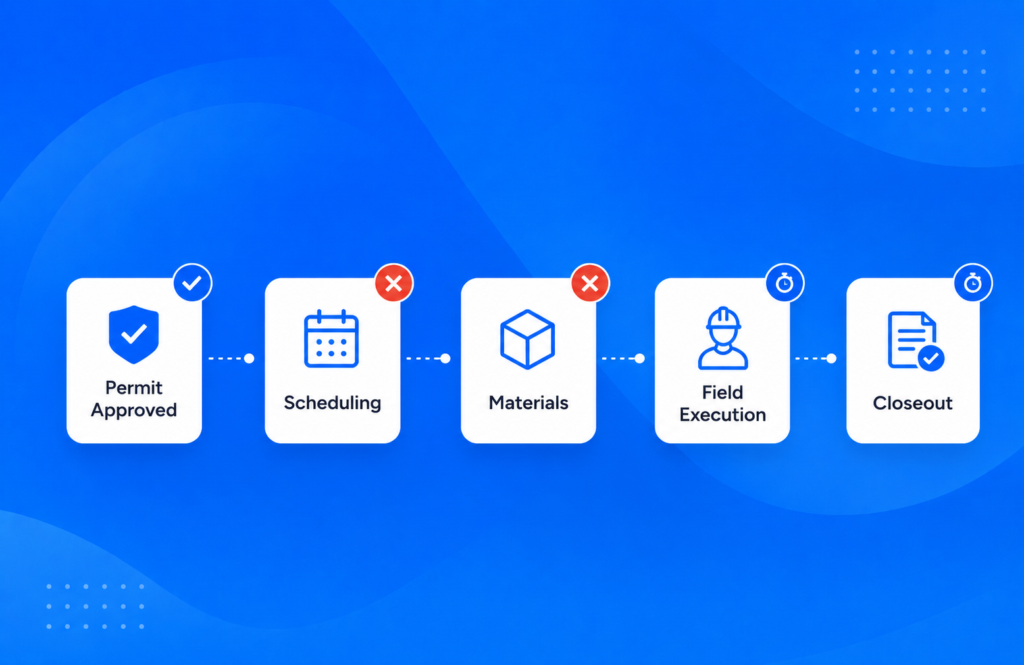
The best features of solar project management software are the ones that carry a job from signed contract to paid invoice without a manual handoff: mandatory fields, workflow automation, offline field capture, standardized checklists, scheduling and dispatch, document history, open integrations, serial number capture, client-ready reporting, and recurring O&M work orders. Scoop ensures one single source of truth across new installs, service calls, and recurring operations and maintenance work.
Key Takeaways
- The U.S. Energy Information Administration expects solar to account for 43.4 GW of the 86 GW of new utility-scale generating capacity planned in the United States for 2026, or 51% of 2026 planned capacity. Every one of those projects needs managing.
- The Bureau of Labor Statistics projects employment of solar photovoltaic installers to grow 37% between 2025 and 2035, so the number of crews, work orders, and handoffs you coordinate is going up, not down.
- A repeat site visit costs between $500 and $1,500, depending on whether it is a service call or an installation project. Every feature on this list exists to stop that second visit from being needed.
- A central operations hub runs installs, service calls, and recurring O&M from one record while the CRM, accounting platform, and design software stay in place and connect to it. Scoop manages more than 250,000 active client sites across 14 countries on that model.
- Sunlight Solar grew from 20 monthly installations to 120 running the full project lifecycle in one platform.
What Is Solar Project Management Software?
Solar project management software is the system that holds a solar job together from the signed contract through site survey, design approval, permitting, procurement, installation, inspection, interconnection, and the service work that follows. It is not a design tool, and it is not a sales CRM. It is an operations platform that knows what stage every job is in, who owns the next step, and what information has been captured.
That distinction matters when you compare products because most tools sold into solar are strong at one phase and thin everywhere else. A design platform models the array. A CRM tracks the deal. Neither one can tell you that a project has been sitting in utility review for 31 days.
The features below are the ones we look for when we evaluate a platform for that job.
How We Evaluated These Features
We evaluated solar project management software features based on how well they streamlined handoffs between sales and invoice. Five criteria decide it, weighted equally, and we apply the same five to every platform we look at.
- Field execution. Can the tool make a crew follow the correct procedure on site, and capture the site information and data while they are there?
- Workflow automation and handoffs. When one step closes, does the next one start on its own, or does somebody have to notice?
- Integration depth. Does data move between your design, CRM, accounting, and monitoring tools at the field level, or only as a logo on an integrations page?
- Reporting and audit readiness. Can you show a client or an asset owner the full history of a site and evidence that the service agreement was met, without assembling it by hand?
- Customer success and implementation support. Will somebody help you configure this around how you actually run field work, or does hands-on help start at the enterprise tier?
That fifth criterion is the one buyers discover last and regret first. Most vendors gate configuration help behind an enterprise contract. Scoop gives every account a dedicated success manager plus a team that helps build and maintain the workflows.
We ran every platform in this category through the same five criteria. The ranking that came out of it is in the 8 best solar project management software of 2026.
10 Essential Features for Solar Project Management Software Tools
Here are the ten features, what each one does, why it matters, and the specific thing to ask a vendor to show you during a product demo.
| Feature | What it does | Why it matters | What to test in a demo |
|---|---|---|---|
| 1. Solar stage gates and milestone tracking | Tracks the stages a solar job actually has: site survey, design approval, permit, procurement, installation, inspection, interconnection, and activation. | Generic task lists cannot tell you whether a job is stuck at the utility or stuck in your own shop. | Ask to see a stage gate that will not close until a named deliverable is attached. |
| 2. Workflow automation and handoff triggers | Fires the next task, notification, or approval the moment the previous one closes. | Most schedule slip happens in the gap between two people, not inside one task. | Ask for a live trigger built in front of you, not a recorded one. |
| 3. Offline field mobile app | Lets crews open work orders, capture geotagged photos, and complete checklists with no signal, then syncs when they reconnect. | Roofs, rural sites, and mechanical rooms have no reliable service. | Put the device in airplane mode during the product demo and complete a full work order. |
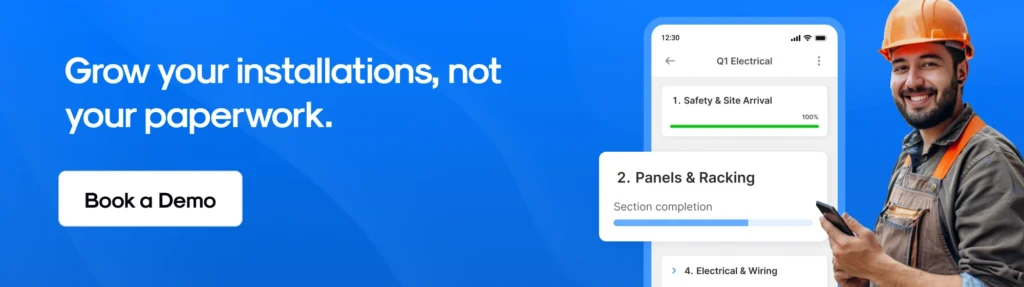
| 4. Standardized checklists, forms, and required photos | Enforces the same steps and the same documentation on every job, with mandatory photo fields. | Complete documentation is what makes reporting a byproduct of the work rather than a separate chore. | Ask whether a phase can close with a required photo missing. The answer should be no. |
| 5. Scheduling and dispatch | Matches crews, skills, and equipment to work that is genuinely ready to start. | Sending a crew to a job that is not permitted is the most expensive scheduling error there is. | Ask how the schedule knows a job is ready, and whether readiness is a rule or a habit. |
| 6. Document and asset history per site | Keeps contracts, permits, interconnection paperwork, as-builts, warranties, and every past visit against the site. | Year three of a service contract is when this feature pays for itself. | Search for a five-year-old site and see how many clicks it takes to reach the commissioning photos. |
| 7. Open integrations and an API | Connects the CRM, accounting and invoicing, design and proposal, and inventory systems to one operations hub. | A connection nobody can maintain is the part of the stack that breaks first. | Ask who maintains the connection in two years, and whether your own team can change it. |
| 8. Serial number capture on installed equipment | Records the serial number of the panel, inverter, or battery fitted at a specific address, on the asset record. | A warranty claim needs the serial number of the exact unit on the exact roof. | Ask how a serial number captured on site reaches the asset record without anyone retyping it. |
| 9. Dashboards and client-ready reporting | Shows portfolio progress, labor, and budget, and exports reports a client or an asset owner will accept. | Reporting you have to assemble by hand is reporting that arrives late. | Ask for a client-facing report exported live from real data, with no manual assembly. |
| 10. Recurring service and O&M work orders | Runs preventive maintenance schedules, corrective repairs, and service agreement records against the same asset record as the original installation. | Every system you install becomes a service asset the day it is energized. | Ask to see a preventive maintenance schedule generate work orders on its own. |
Bring One of Your Own Jobs to the Product Demo
Pick a process in a solar project that is not working well, and see how Scoop streamlines workflows. Book a demo today. No credit card, no obligation, and we respond the same business day.
Best Features of Solar Project Management Software
1. Solar Stage Gates and Milestone Tracking
Solar stage gates are milestones built around the stages a solar job actually has, rather than generic tasks: site survey, design approval, permit submitted, permit approved, procurement, installation, inspection, interconnection, and activation. Each gate has an owner, a due date, and a completion rule.
A gate labeled “design done” tells you nothing. A gate that will not close until an approved design document is attached tells you everything, and it turns your pipeline report into something you can trust without calling three people first.
This is also the feature that separates solar-built platforms from generic project tools: only a solar-built tool knows that utility review is a stage you wait in rather than a task you complete.
What to test in a demo: ask to see a stage gate that refuses to close until a named deliverable is attached.
2. Workflow Automation That Triggers the Next Step
Workflow automation fires the next task, notification, approval, or document request the moment the previous step closes, so no job waits for a person to notice that it is ready to move. Scoop calls these Auto Actions, and they are built from workflow templates you configure once and reuse on every job of that type.
Most schedule slip in solar does not happen inside a task. It happens in the gap between two people, when a permit approval lands in one inbox, and the person who schedules crews finds out four days later. Automation closes that gap, and an operations lead changes the rules in-house rather than waiting on a developer.
What to test in a demo: ask the vendor to build a trigger in front of you rather than replay a recorded one.
3. An Offline Field Mobile App
An offline field mobile app lets crews open work orders, capture photos and video, and complete checklists with no signal, then syncs everything the moment they reconnect to the internet. The Scoop mobile app works this way by design because roofs, rural ground mounts, and mechanical rooms rarely have reliable service, and photos are geotagged as they are taken.
An app that needs a connection is not a field app. It is an office app that happens to run on a phone, and what it produces is a technician typing yesterday into a form tomorrow. Offline capture keeps the job record honest because the evidence is created where the work happened.
What to test in a demo: put the device into airplane mode and complete a full work order, photos included.
4. Standardized Checklists, Forms, and Required Photos
Standardized checklists enforce the same steps and the same documentation on every job, with mandatory fields that stop a phase closing until the required photo has been captured. Two crews on two sites then log the same job the same way.
This is the feature that makes everything downstream work. Complete documentation enables data to roll up into a final report, shortens onboarding for a new technician, and turns quality control into a byproduct of the job rather than a separate inspection. It is also the cheapest way to cut rework because the checklist catches the omission while the crew is still on site. Conditional rules and repeating sections for labor, equipment, and safety are what keep one form usable across jobs that are not identical.
What to test in a demo: try to close a phase with a required photo missing. If it goes through, the feature is decorative.
5. Scheduling and Dispatch That Matches Crews to Ready Work
Scheduling and dispatch assigns crews, skills, vehicles, and equipment to work that is genuinely ready to start, and it reschedules without anyone rebuilding the calendar by hand. Scoop adds AI scheduling on top of this to shorten the planning pass and flag resource conflicts before they reach a crew.
Readiness is the whole point. Dispatching a crew to a job that is not permitted, or to a site where the equipment has not landed, is the most expensive scheduling error in the business, and it is the one that sends a crew back out at a cost of $500 to $1,500, depending on whether it is a service call or an installation project. A schedule that reads job status directly cannot make that mistake.
What to test in a demo: ask how the schedule knows a job is ready, and whether readiness is enforced by a rule or by a habit.
6. One Document and Asset History Per Site
Centralized document management keeps contracts, permits, interconnection paperwork, as-built drawings, inspection sign-offs, equipment warranties, and every past visit attached to the site rather than scattered across drives, inboxes, and phones. One search returns the whole history of an address.
The value of this feature is invisible in year one and obvious in year three, when a warranty claim, a resale, or a service call needs the commissioning photos nobody can find. If you are running assets over a 25-year life, this is where solar asset management either works or quietly does not.
What to test in a demo: search for a five-year-old site and count the clicks to the commissioning photos.
7. Open Integrations and an API
Open integrations move data between your design, CRM, accounting, and monitoring platforms at the field level, without anyone re-keying a customer name or a system size. Scoop connects through its proprietary GLOO integration service and a REST API.
Four categories connect to a central operations hub on almost every solar stack: the CRM that owns the pipeline, the accounting and invoicing platform that closes the books, the design and proposal software that produces the layout, and the inventory or warehouse system that holds stock. Monitoring platforms and specialist capture tools connect the same way, and what they find arrives as a work order attached to the asset. None of those systems is meant to be replaced by the hub. Each one stays independently replaceable, so changing the CRM in two years changes one connection and the crews notice nothing.
Depth is what separates a connection that lasts from one that breaks, and there are three ways to build one. A stock connector is quick and usually included, and it does only what the vendor anticipated, so there is nowhere to go when your process moves. Custom code written against an API is built once against one version of that API and documented in the head of whoever wrote it, and two or three years later that person has moved on. GLOO is the third. Scoop scopes it against how your operation actually runs, builds it, hosts it, and keeps it running, and because it is a canvas flow diagram rather than code, anyone on your team can open it later and change it.
What to test in a demo: ask who maintains the connection in two years, and whether your own team can open it and change it.
8. Serial Number Capture on Installed Equipment
Serial number capture records the make, model, and serial number of the panel, inverter, or battery fitted at a specific address, against the asset record for that site, as a required field the crew completes before the phase closes.
Warehouse and stock management belongs in a dedicated inventory system, and the hub connects to it rather than replacing it. What the hub has to do is capture the number while the crew is standing in front of the equipment, then carry it onto the asset record so a warranty claim three years later names the exact inverter on the exact roof. Capturing it during installation costs a crew fifteen seconds. Recovering it afterwards costs a site visit.
What to test in a demo: ask how a serial number captured on site reaches the asset record without anyone retyping it.
9. Dashboards and Client-Ready Reporting
Field service reporting and dashboards show progress, labor allocation, and budget across every active project at once, and export evidence in a format a client, a financier, or an asset owner will accept. Scheduled reports send themselves rather than waiting on a person.
Two different jobs sit inside this feature, and vendors usually do one of them well. Internal dashboards tell you where the portfolio stands. Client-ready reporting proves what happened on a specific site, which is what service agreements and audits require. Ask about both. Ask as well whether portfolio reporting is part of the platform or a module quoted separately because that is a common surprise late in a purchase.
What to test in a demo: ask for a client-facing report exported live, with no manual assembly.
10. Recurring Service and O&M Work Order Management
Recurring service management runs preventive maintenance schedules, corrective repairs, and service agreement evidence against the same asset record as the original installation, so a site never has two histories. Multi-year service contracts carry their own scheduling, and solar O&M work orders generate on a cadence rather than being created by hand.
Every system you install becomes a service asset the day it is energized, and the installed base only grows. Operations and maintenance is where the recurring revenue is, and it is the use case most project tools treat as an afterthought. Pacific Power Solutions scaled 15 times over while building a leading operations and maintenance business on this model, and Sunlight Solar grew from 20 monthly installations to 120 running installs and service through the same system.
What to test in a demo: ask to see a preventive maintenance schedule generate work orders without a person creating them.
What Features Should You Look For When Choosing Solar Project Management Software?
The ten features are not equally important for every company. Here is where we would start, by segment.
- Operations and maintenance provider with recurring contracts. Start with recurring work orders, asset history, and service agreement records. Preventive maintenance schedules, multi-year contract scheduling, and audit-ready documentation are the whole business.
- High-volume residential installer. Start with stage gates, workflow automation, and the offline mobile app. Volume punishes manual handoffs faster than anything else on this list.
- Commercial and industrial installer. Start with document history, serial number capture, and client-ready reporting. Your projects are fewer, longer, and far more document-heavy.
- EPC running partner-led delivery. Start with integrations, permissions, and portfolio dashboards. Permissions matter more than people expect here: a subcontractor should work in the same system while seeing only its own group and none of your configuration.
- Team of five or fewer. Start with standardized checklists and the mobile app, and add automation once the process stops changing every month. Configuring workflows around a process you are still inventing is wasted effort.
Stop Paying for Tools That Do Not Talk to Each Other
Most solar companies do not have a features problem. They have four tools that each do one of these ten things well and none of which share a record. The cost shows up as repeat data entry, late invoices, and truck rolls that could have been avoided. A hub does not ask you to give any of those tools up. It asks them to agree with each other.
Bring a solar project you are running right now to a 20-minute discovery call, and we will walk your actual handoffs, show you where information gets lost, and be straight with you if a different platform is the better fit.
Frequently Asked Questions About Solar Project Management Software Features
What features are essential for solar project management tools?
The essential features are solar-specific stage gates, workflow automation between steps, an offline field mobile app, standardized checklists with required photos, scheduling that reads job readiness, per-site document and asset history, open integrations with a connection your own team can maintain, serial number capture on installed equipment, client-ready reporting, and recurring service work orders. A tool missing the first four cannot run field work reliably, whatever else it offers.
What are the must-have features of the best solar project management software?
The must-have features are the ones that remove a manual handoff. Stage gates that will not close without the required documentation, automation that starts the next task on its own, and offline capture that creates the record where the work happens are the three that change cycle time most. Everything else on this list improves a process that those three make trustworthy in the first place.
What features should I look for when investing in solar project management software?
Look past the feature list to configuration and support. Almost every platform in this category can show you a checklist and a dashboard. Far fewer will help you build the workflows around how your company actually runs jobs, and most gate that help behind an enterprise contract. Ask who configures the system, how long it takes, whether your own operations lead can change a workflow afterwards without a developer, and what happens when your process changes in month seven.
Does solar project management software replace my design software?
No, and a platform that claims to should be treated with suspicion. Design, shading simulation, and stamped plan sets belong in a purpose-built design tool. Scoop does not design photovoltaic systems, run shading simulations, or produce stamped plan sets. That work stays in your design tool and connects to the hub, and we compare the design and proposal platforms themselves in 7 best solar proposal software platforms.
What is the best solar software for operations and maintenance work?
The best solar software for operations and maintenance is the one that preserves service history against the same asset record as the original installation. Look for preventive maintenance schedules that generate their own work orders, corrective repair tracking, multi-year service contract scheduling, service agreement evidence a client will accept, and full site history including commissioning documentation.
How many of these features does a five-person installer actually need?
Four. Standardized checklists, an offline mobile app, per-site document history, and basic stage tracking cover a small team completely. Workflow automation, serial number capture, and portfolio dashboards start earning their keep at roughly 15 to 20 jobs a month or the moment you add a second crew. Buying the full set early is not harmful, but configuring it before your process settles is wasted effort.
Do I need a solar CRM or solar project management software?
You usually need both, and they do different jobs. A CRM owns the customer relationship up to the signature: leads, quotas, and marketing automation. Solar project management software owns everything after it, from site survey to activation and on into service. The failure mode is expecting either one to cover the whole lifecycle, which is how field data ends up disconnected from the phases that depend on it. We cover the boundary in how to choose your solar CRM.
How long does it take to configure these features?
Configuration takes time from someone on your team. Scoop is built for operations and maintenance teams ready to configure the platform around how they actually run field work, and it ships a master workspace per operation type that onboarding adapts to your own process. Companies with a dedicated owner for that setup get value starting on day one. The platform delivers the most value where there is a repeatable process to standardize.
Disclosure and How to Correct This Page
Scoop publishes this page and Scoop is one of the platforms discussed on it. The feature selection and the ranking of what matters most are our editorial opinion, formed from working with solar installers and operations and maintenance providers. External statistics were verified against their primary sources on September 15, 2026. Product trademarks belong to their owners, and no affiliation or endorsement is implied. If something here is wrong, tell us and we will correct it.